
August 31, 2026 - Coaching Business
Step-by-Step Guide to Implementing CRMs for Coaching Businesses
Wondering how to implement a CRM that works well for your coaching business? This guide covers everything from choosing the right tool to automating your workflows.

Step-by-Step Guide to Implementing CRMs for Coaching Businesses
Running a coaching business becomes difficult when client information, scheduling, invoices, contracts, and session notes are spread across separate tools and spreadsheets.
If you're comparing the best CRM for coaches or looking to systemize your coaching business, this guide covers how to choose, set up, and maintain a CRM around the way your coaching business actually operates.
Why Coaches Need a CRM
Scattered Client Data
Client notes might sit in one app, invoices in another, while discovery call leads are still being tracked in a spreadsheet.
That makes it easier to miss follow-ups or arrive at a session without the relevant client information at hand. A CRM gives you one place to manage contact profiles, coaching engagements, session notes, invoices, contracts, and other client records.
Too Many Tools
Many coaches use separate tools for scheduling, invoicing, forms, e-signatures, and client portals. Apart from paying for several subscriptions, each additional platform creates another system that needs to be maintained.
A coaching CRM can consolidate much of this, reducing the context switching that slows down client onboarding and ongoing program management.
Manual Processes Limit Growth
When every new client requires you to manually send contracts, create invoices, chase intake forms, and arrange sessions individually, growth has a ceiling.
Routine administrative tasks can be automated, which gives you more capacity to take on additional clients without the admin growing at the same rate.
What to Look for in a Coaching CRM
Contact and Lead Management
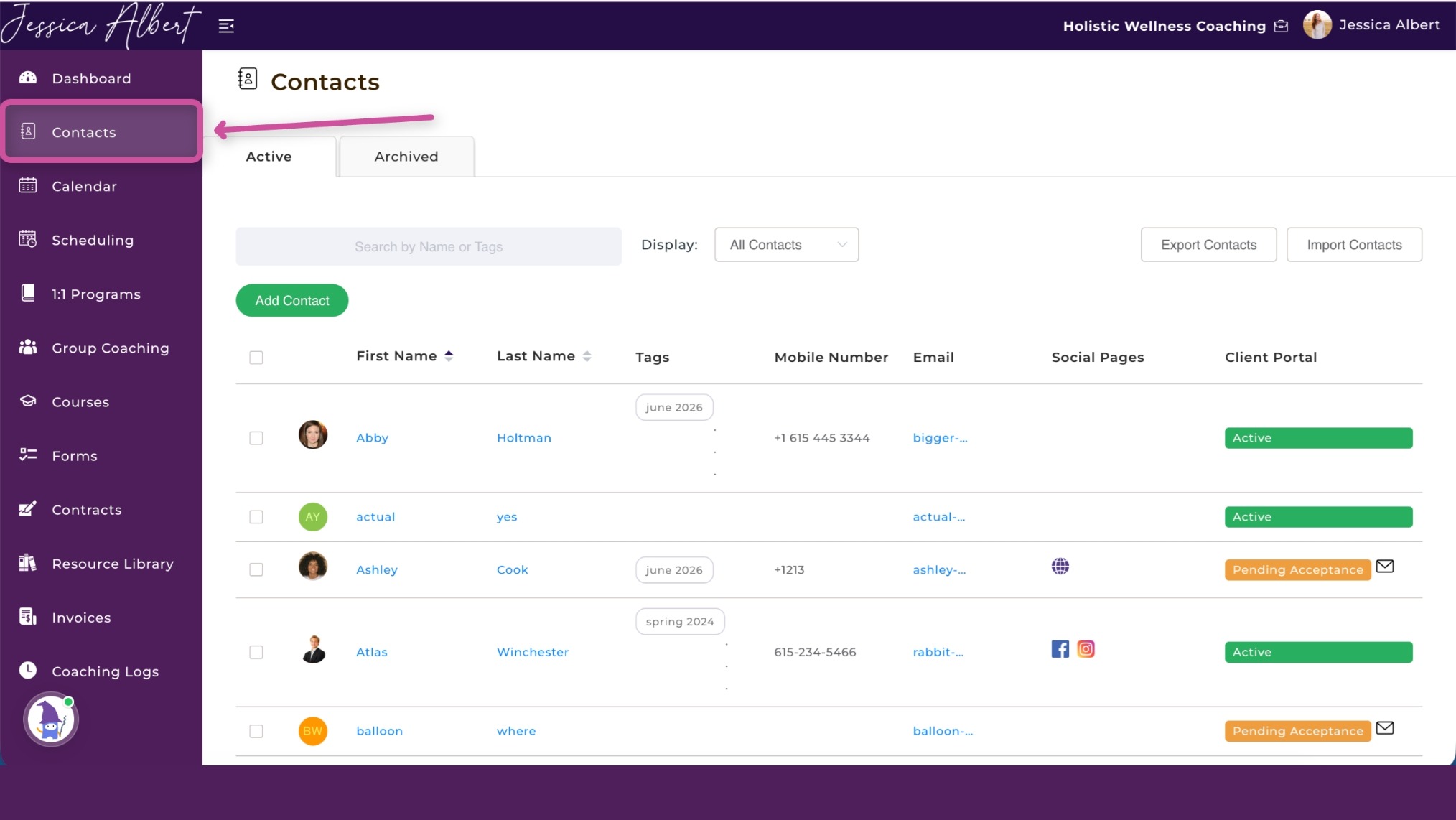
A coaching CRM should provide a central record for every prospect and client.
In CoachVantage, contact records contain profile information alongside coaching engagements, session notes, invoices, and contracts. Contacts can also be tagged by where they are in your sales process.
Tags like "Inbound Lead," "Discovery Call Booked," "Proposal Sent," "Long-Term Follow-Up," and "Client" let you see at a glance which contacts need action, without maintaining a separate lead spreadsheet.
Smart Scheduling
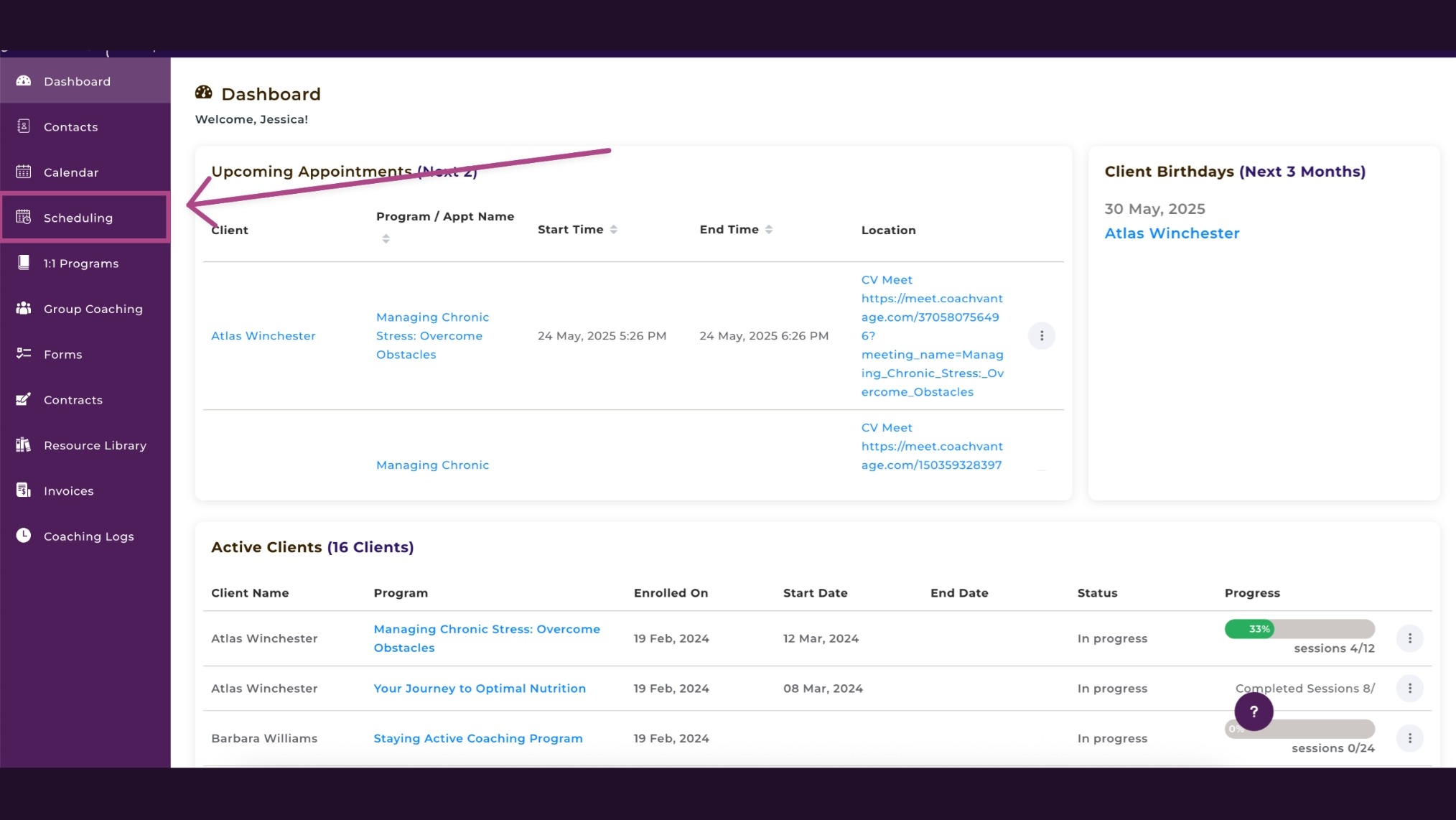
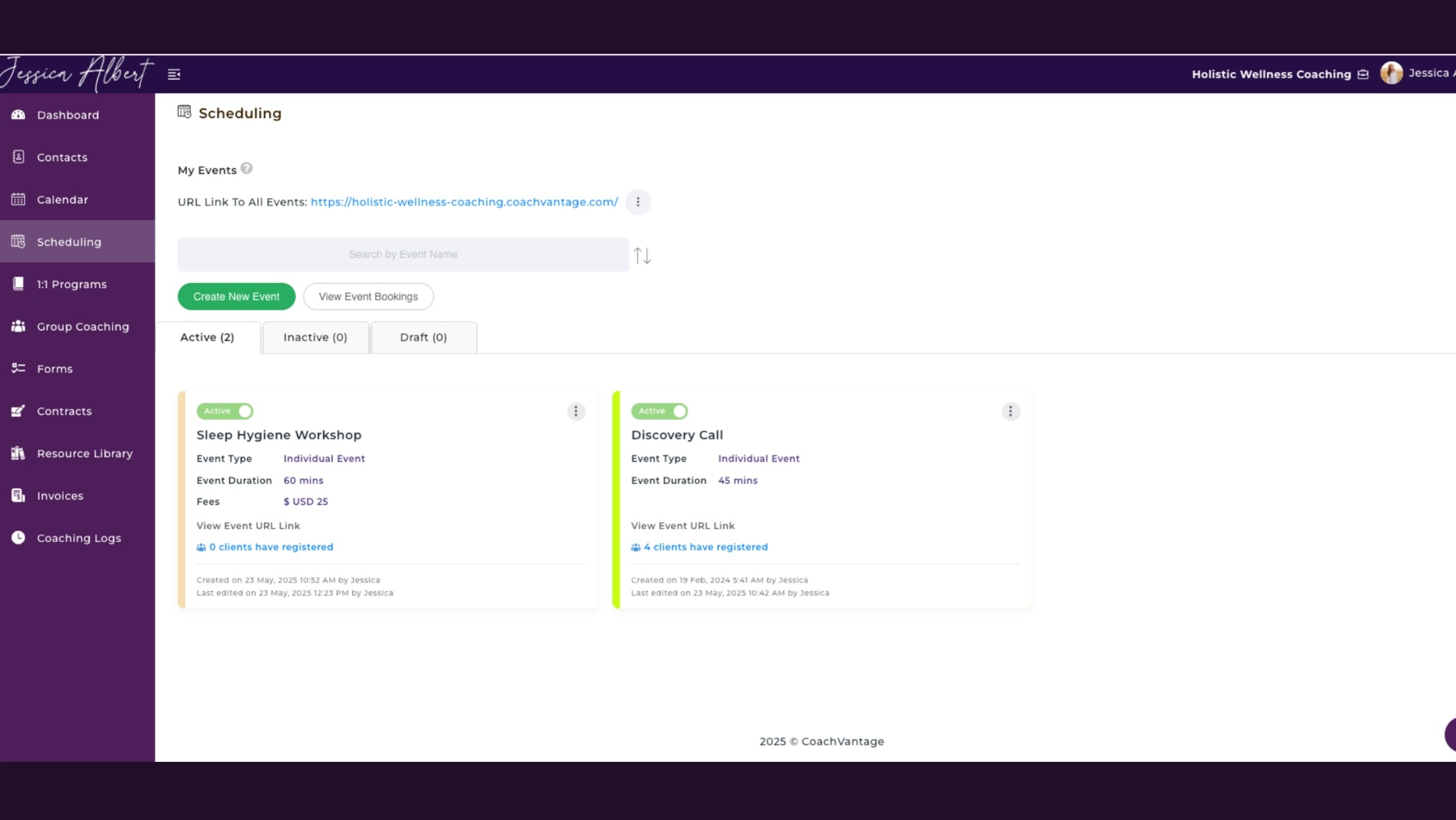
Booking pages can be created for discovery calls, consultations, and other event types so prospects or clients can select from your available times. Meeting times convert automatically to each participant's time zone.
Two-way calendar syncing with Google Calendar, iCloud, and Outlook prevents double bookings, and automated reminders go out for upcoming sessions without you sending them manually.
Invoicing and Payments
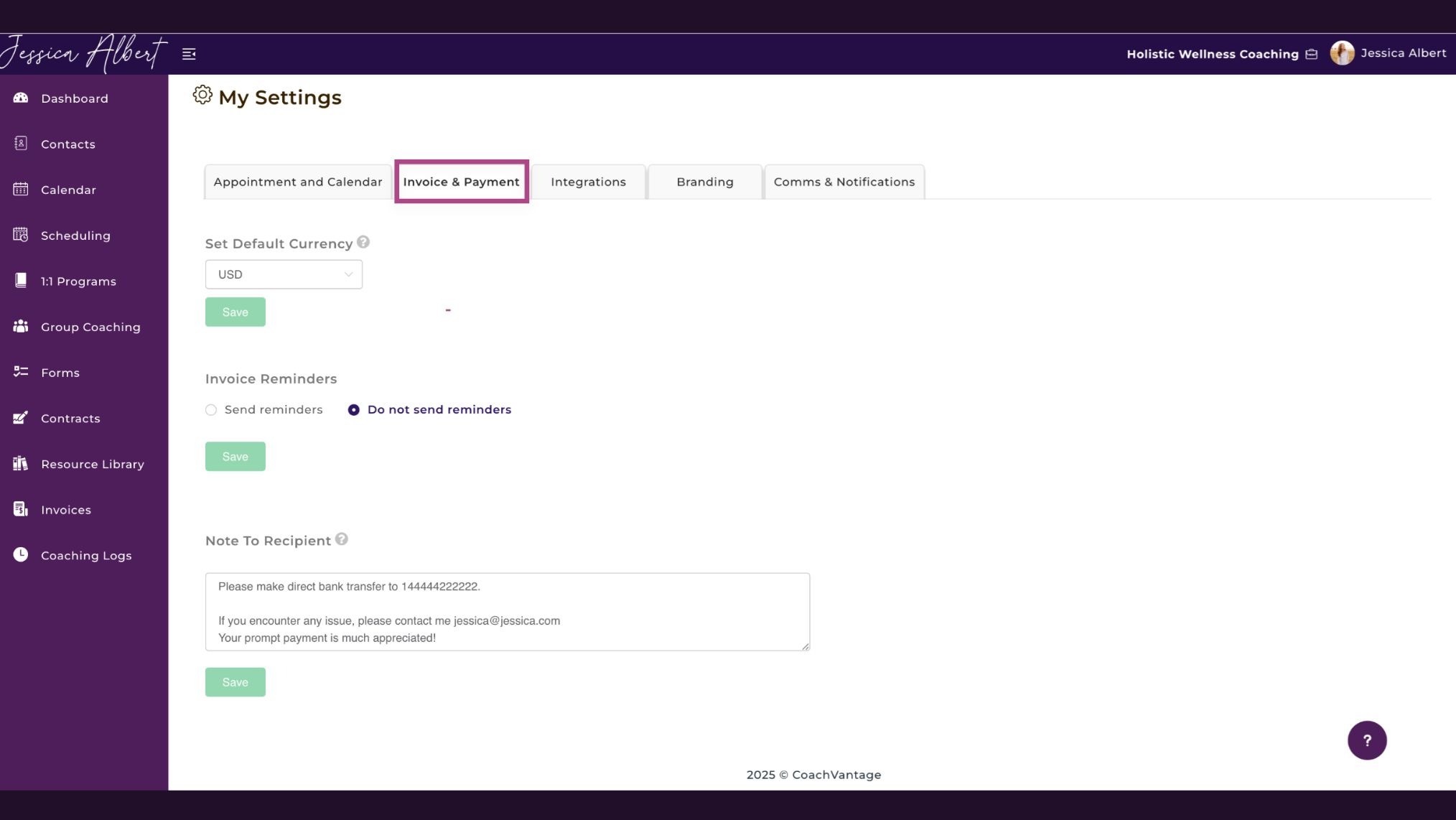
Look for a platform that supports both one-off and recurring invoices, the ability to set payment reminders for late payments, and direct integration with Stripe or PayPal for one-click client payments.
CoachVantage charges zero commission on sales, so the only costs are your payment processor fees. For corporate clients, you can add multiple invoice recipients, such as an HR department paying on behalf of an employee.
Contract E-Signatures
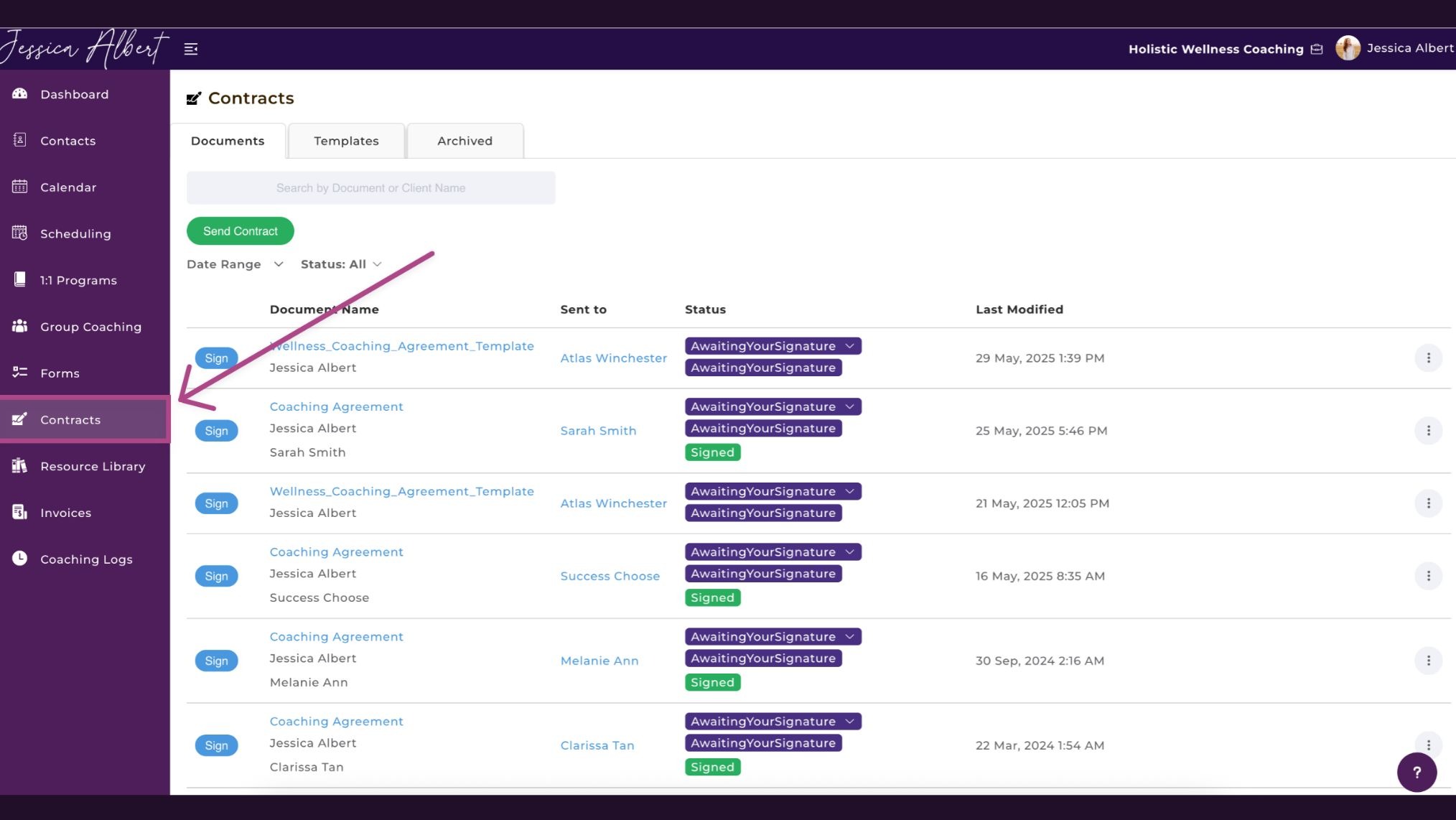
A CRM with built-in contract e-signatures removes the need for separate tools like HelloSign or DocuSign.
You upload your contract documents in PDF format, add signature and date fields, save them as reusable templates, and send them in a few clicks. Every signed contract includes an audit trail showing when it was sent, viewed, and signed.
On CoachVantage's Aha! Plan, you can embed a contract directly into your coaching program sign-up page so clients e-sign during enrollment.
Client Portal
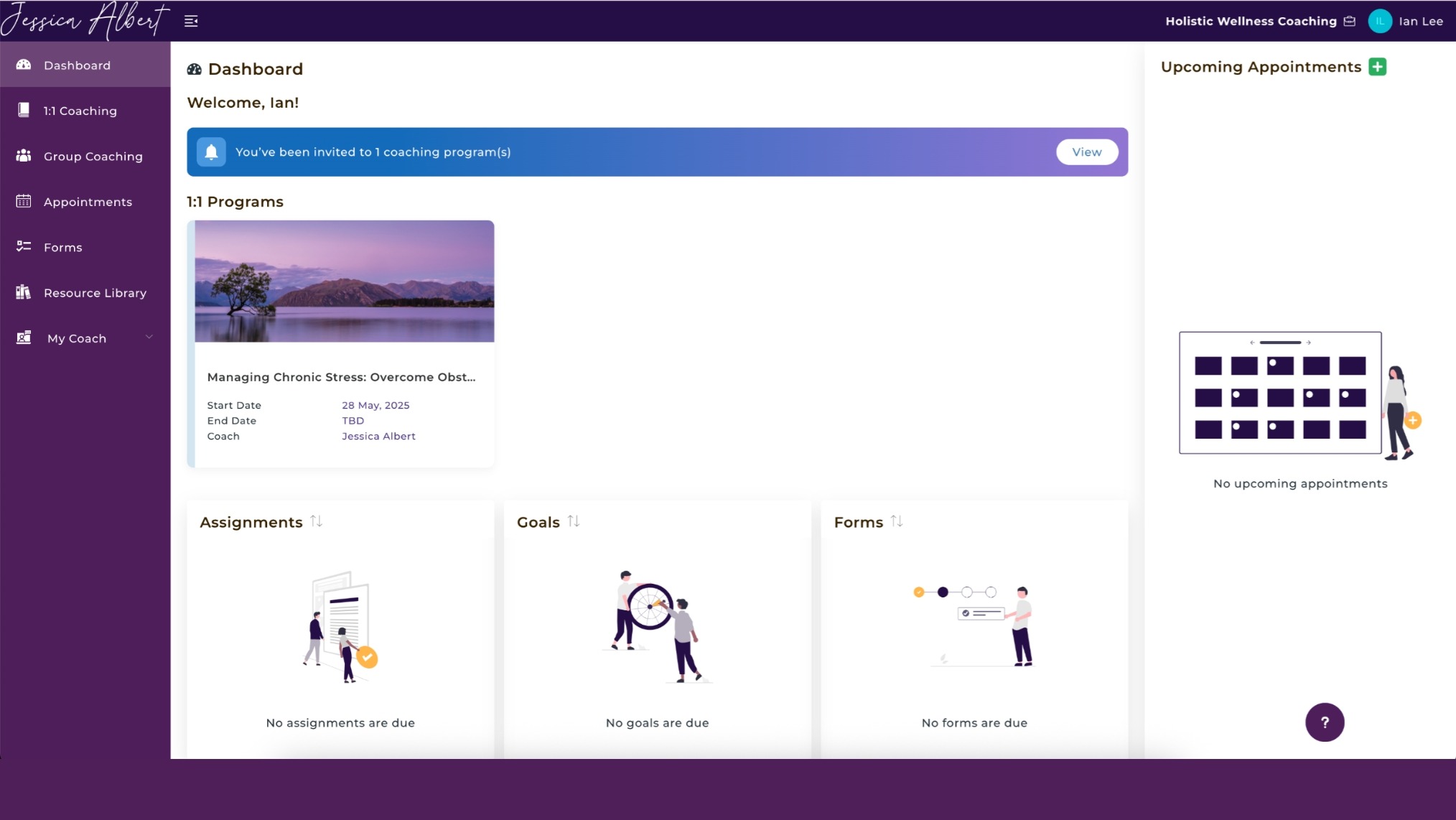
A client portal gives each client a branded space with your business name, logo, and colors where they can book sessions, pay invoices, respond to forms, access shared resources, track goals, and review session notes.
It creates a more professional experience than managing everything through email threads, and clients can be invited to create their portal account directly from your contacts page.
Group Coaching
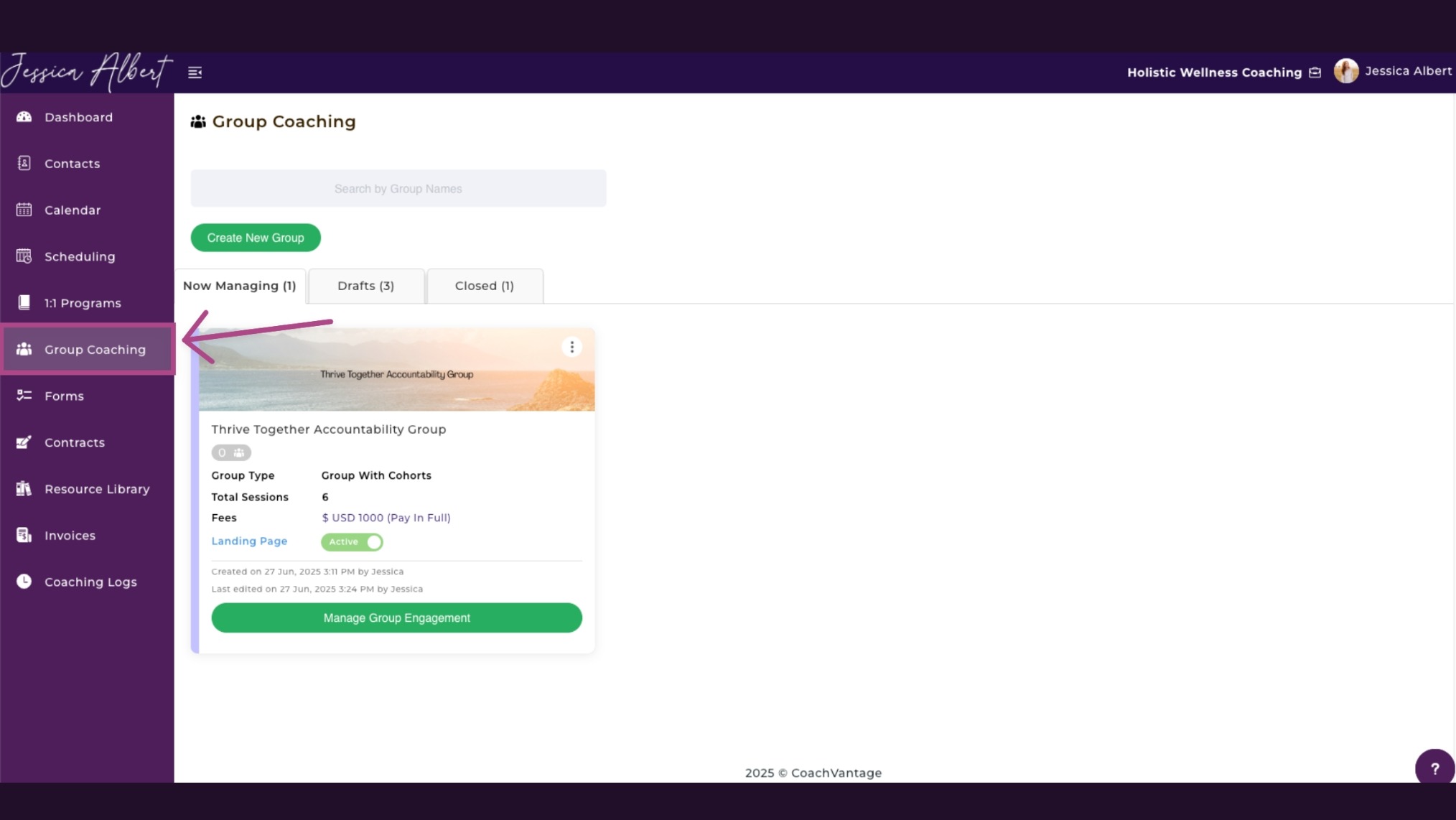
If you run group programs, a dedicated group coaching feature handles the coordination. When you send assignments, forms, goals, or session details to a group, all members receive them at once.
A progress tracker lets you monitor performance at both the group and individual level. CoachVantage also supports cohorts, which are sub-groups within a program, making it easier to manage evergreen programs that accept new members on a rolling basis.
Workflow Automation
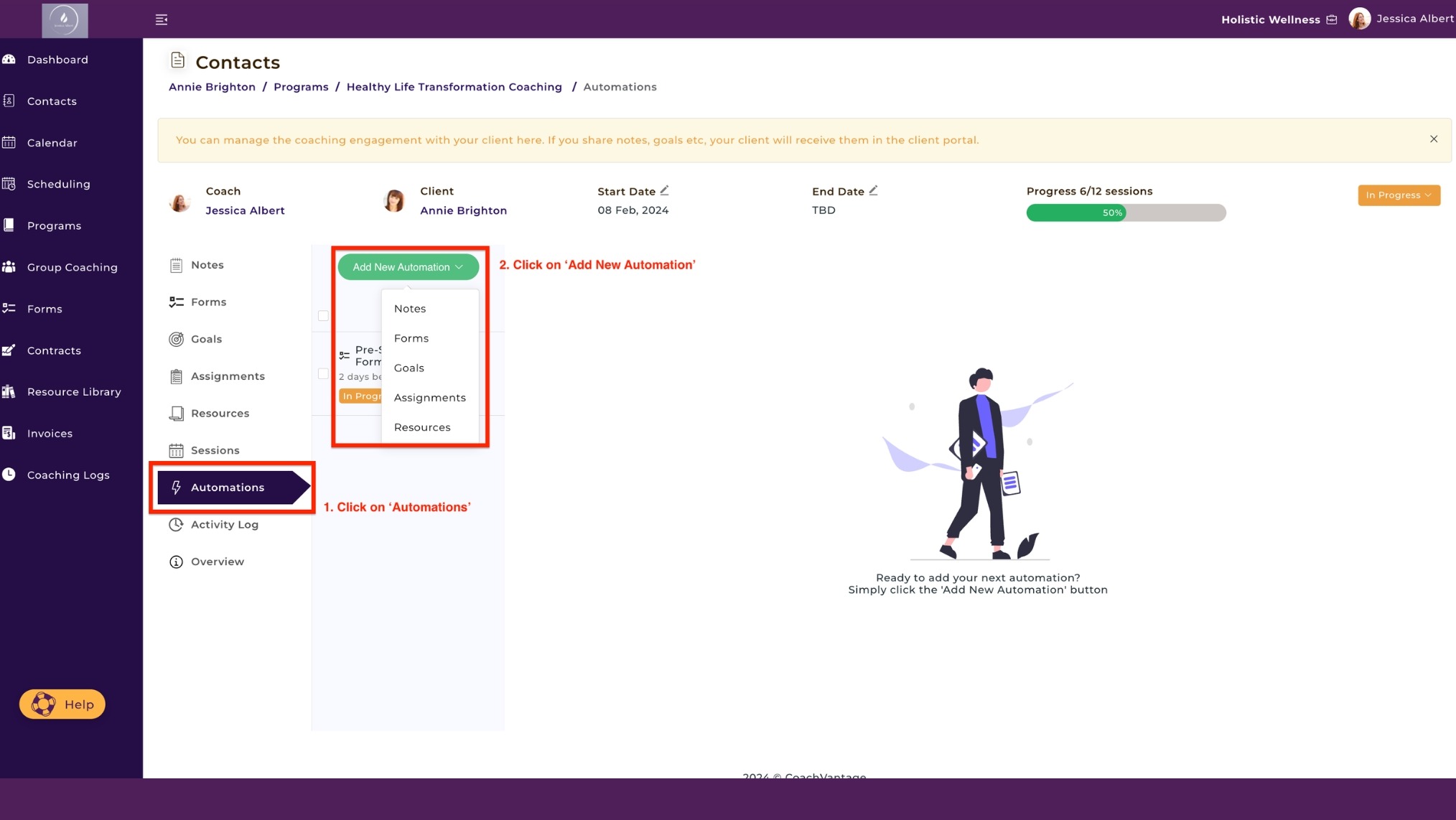
Automation rules let you set triggers to send forms, goals, assignments, files, and notes to clients automatically, either before or after a session, or on a predetermined date.
Configure it once per client, and the system handles delivery from that point forward. For coaches managing several active clients simultaneously, this is one of the more significant time-savers a platform can offer.
Forms and Intake
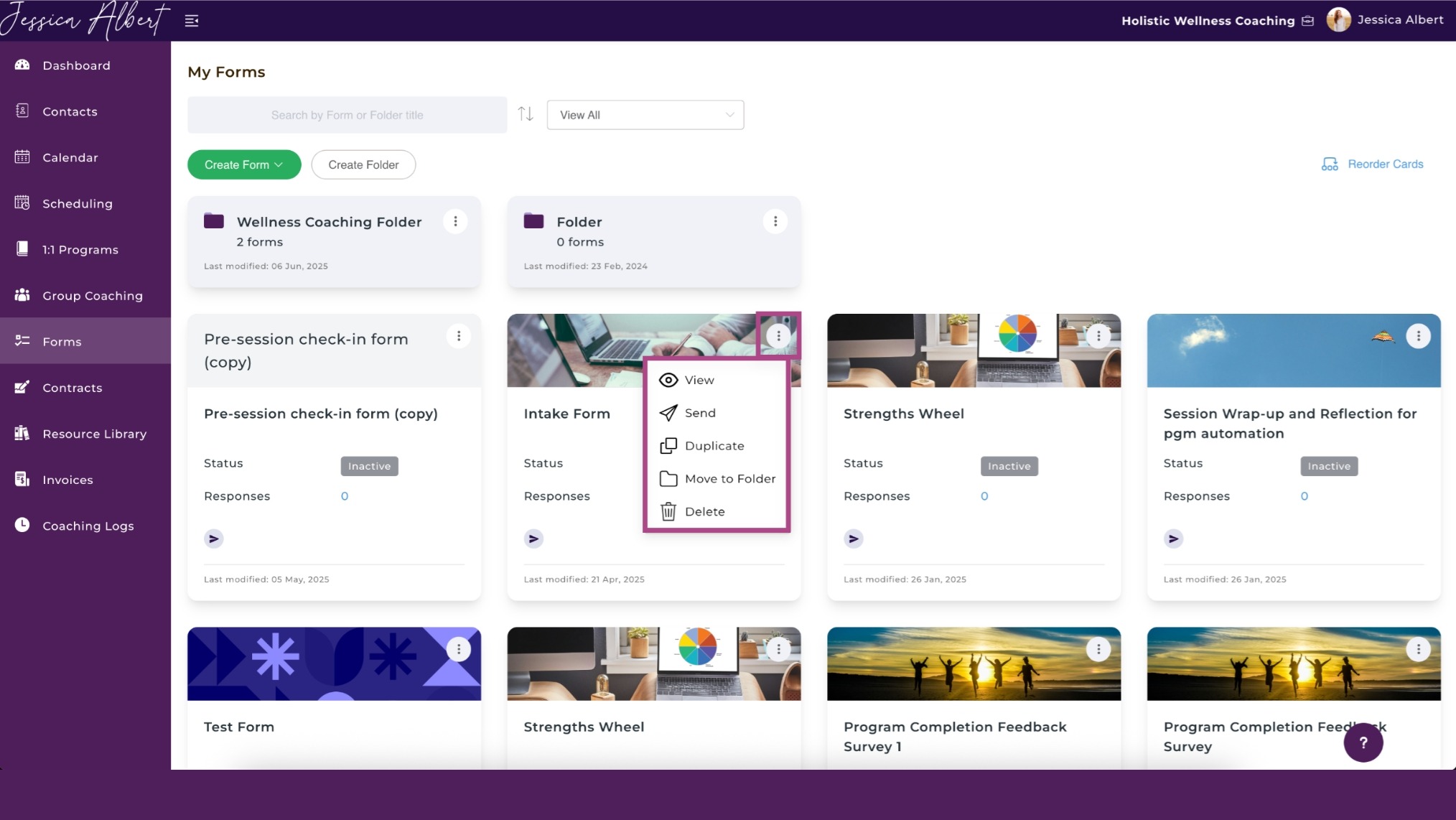
Form builders lets you create and send an unlimited number of questionnaires with multiple question types, including multiple choice, open text, and opinion scales.
Forms can be sent as standalone check-ins or as part of a specific coaching program. You can also embed intake forms into your event booking page or program sign-up page so clients complete them before the first session.
This is really useful, especially when prospects are booking a Discovery Call to learn more about your coaching services. When a form is submitted as part of the booking flow, the contact record is created in CoachVantage, and the information is automatically saved to the contact’s profile, such as phone number, email, address, social media links, etc.
It eliminates the need to transfer data from one system to another, such as from a stand-alone booking tool like Calendly or Acuity, to your coaching CRM software. CoachVantage is a coaching CRM that does it automatically and saves you from manual administrative work, or creating ‘zaps’ in Zapier to stitch things together.
Manage Your Coaching Practice in One Place
CoachVantage automates your business workflows so you can focus on impactful coaching results.
Responses can then be viewed individually or as an aggregated summary with charts and graphs.
Coaching Logs
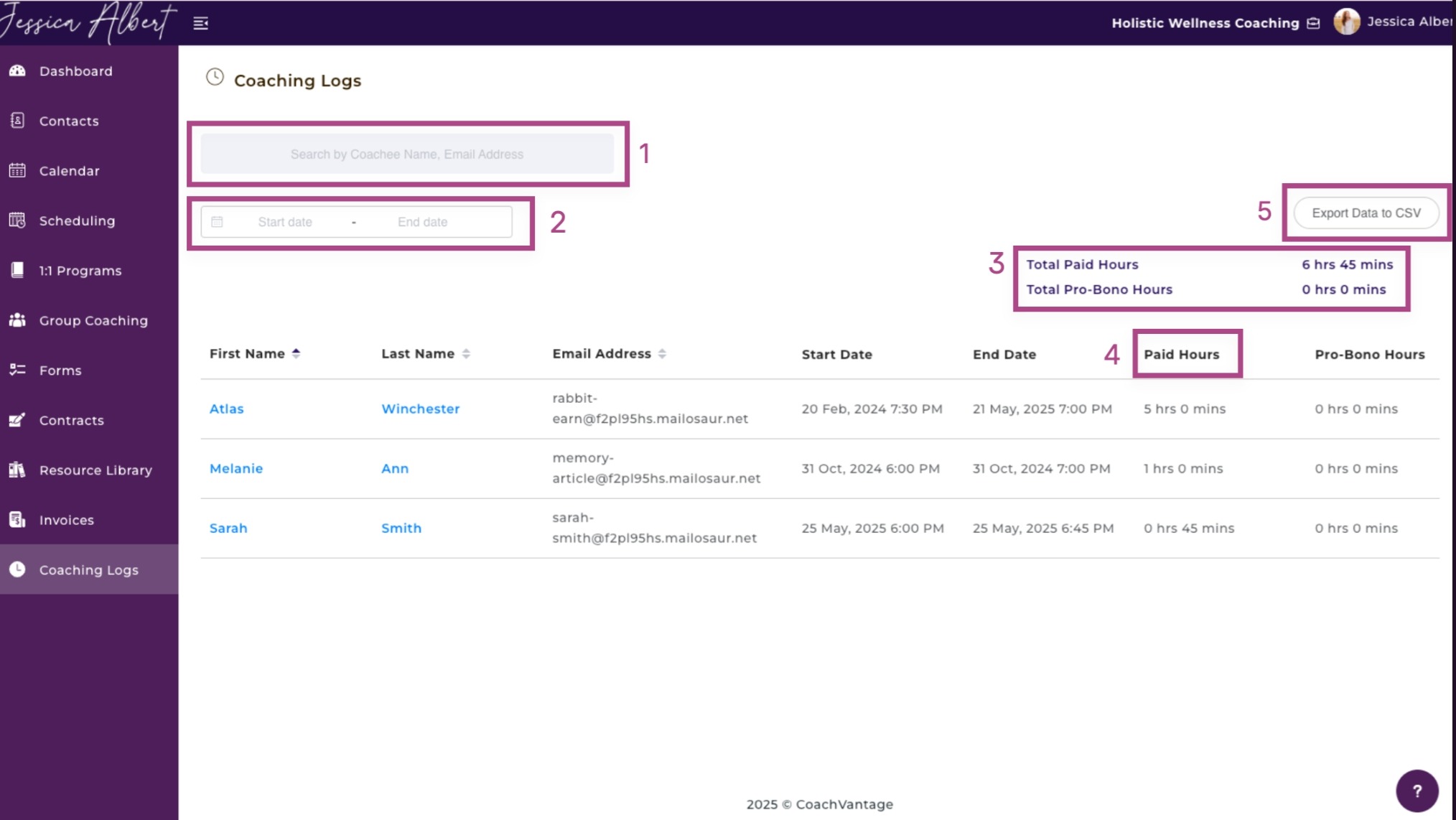
For coaches working toward or maintaining certification with bodies like the International Coaching Federation (ICF), session hours matter.
A CRM that automatically captures coaching time for every client engagement, distinguishes between paid and pro bono sessions, and lets you export the log as a CSV whenever you need to submit hours for certification removes one more manual tracking task entirely.
How to Implement a CRM for Your Coaching Business Step by Step
Step 1: Audit Your Current Systems

Before touching any new software, take stock of what you're currently using. List every tool you use to manage leads, schedule sessions, collect payments, store client notes, and communicate with clients.
Note which ones are working and which are creating friction. This gives you a clear picture of what you're replacing and what your CRM needs to handle from day one.
Step 2: Define What You Need to Track

Not every CRM feature matters equally for your business. Do you need group coaching support? Are you pursuing certification and need a coaching log? Do you run corporate programs where invoices go to HR departments?
Getting clear on your priorities before evaluating tools keeps you from being drawn to features you'll never use.
A useful starting point: your four core tracking needs are leads, clients, finances, and team members if you have them.
Step 3: Choose the Right CRM for Coaches
Generic CRM tools like HubSpot or Zoho are built for sales teams, not coaching workflows.
Look for a platform purpose-built for coaches that includes scheduling, contracts, invoicing, a client portal, and program management in a single subscription.
CoachVantage was built specifically for this and is available for a free trial at coachvantage.com.
Step 4: Migrate Your Existing Client Data
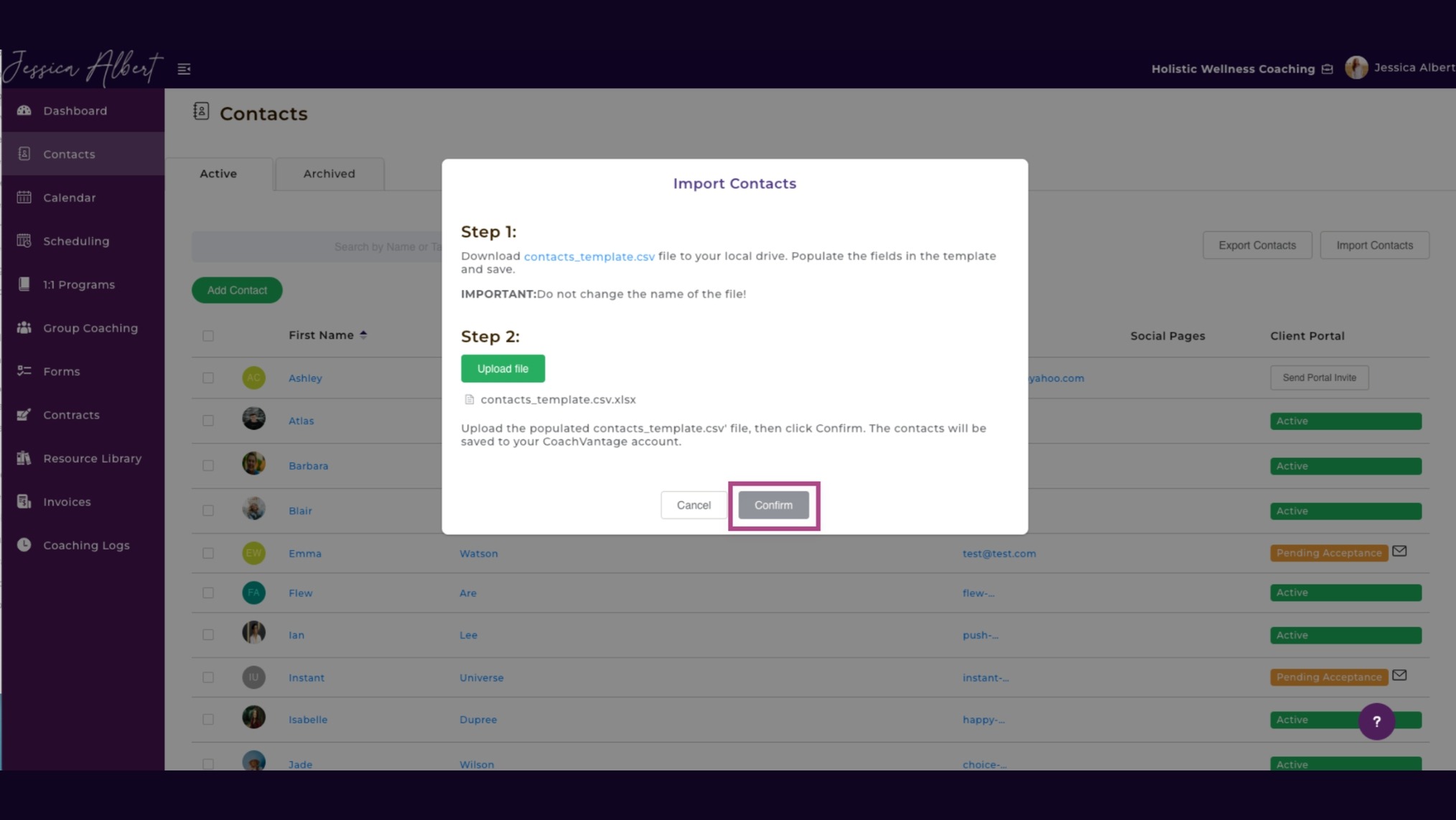
Don't import everything from your old systems without cleaning it first. Remove duplicates, update outdated contact details, and archive leads that have gone cold.
In CoachVantage, contacts can be added manually or imported, and each record can hold all historical information going forward. Bring only what's clean and relevant.
Step 5: Set Up Your Lead Management System
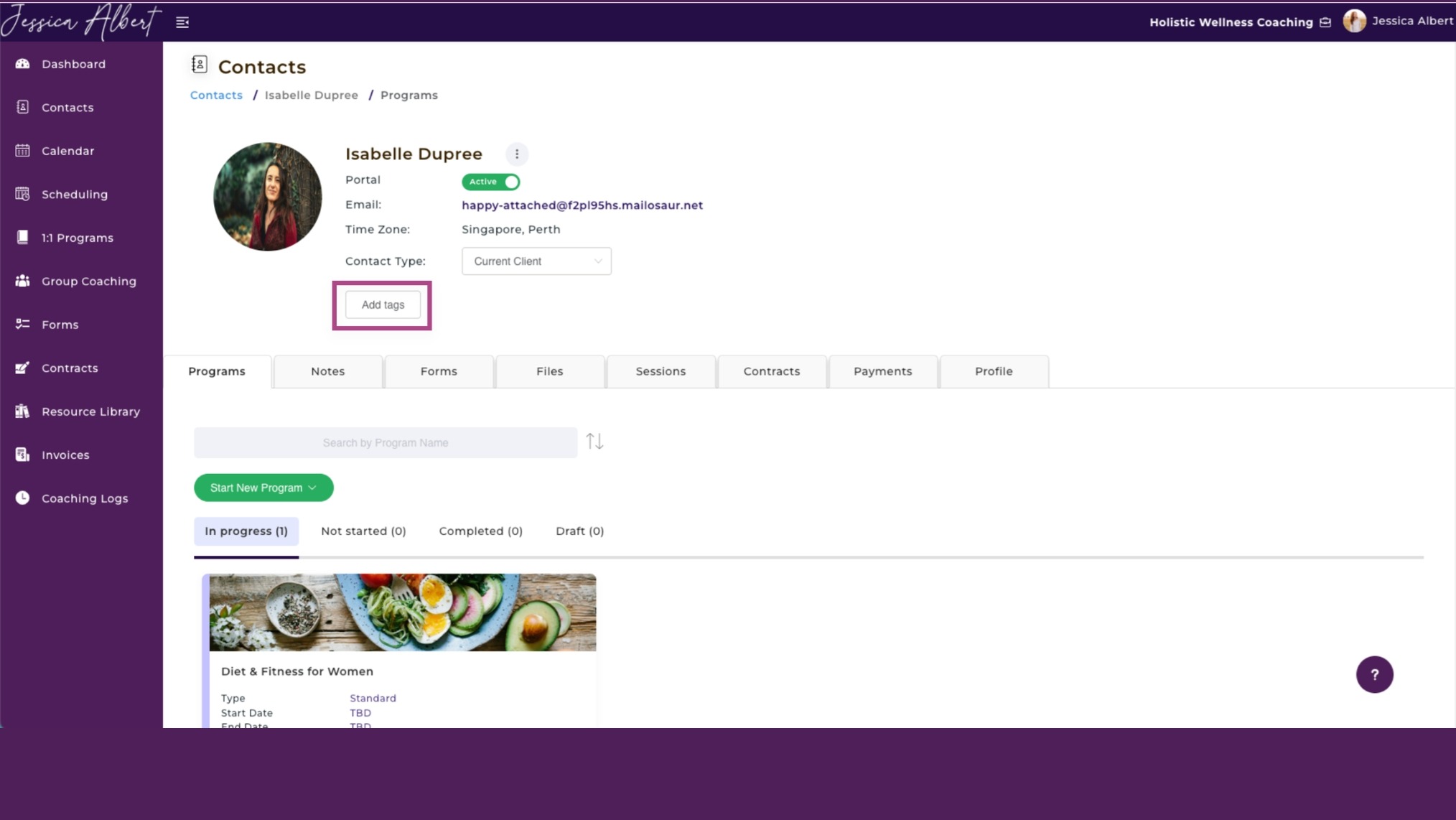
Once your contacts are in, start tagging them consistently. In CoachVantage, tags can be added directly on a contact's record or applied in bulk from the Contacts page.
Tag by funnel stage, client goals, programs attended, or organization type. With consistent tagging, finding the right group of contacts for a follow-up or a new program launch takes seconds rather than a manual scroll through your list.
Step 6: Automate Your Workflows
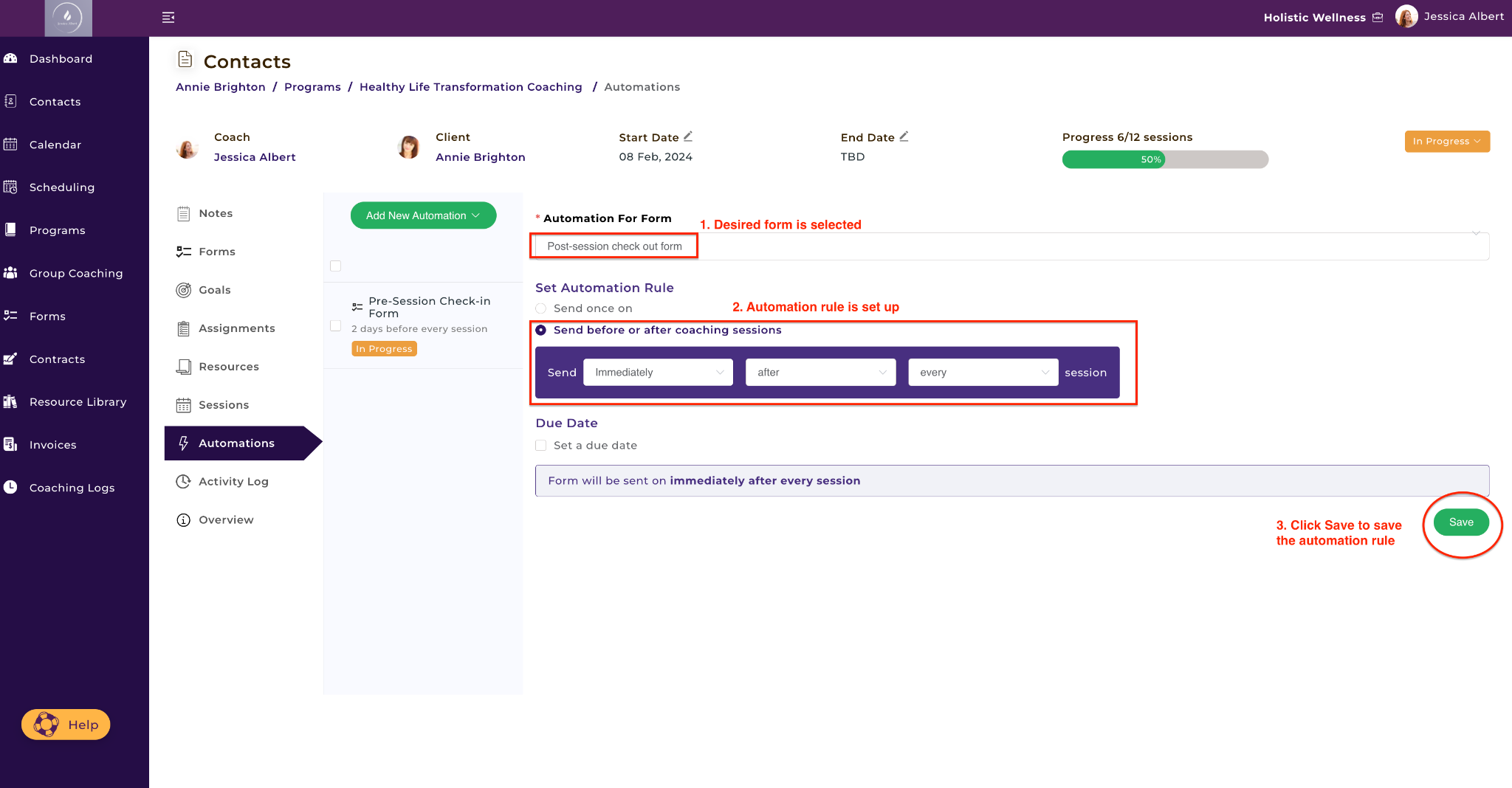
Set up automation rules to handle recurring tasks: sending intake forms before a first session, delivering goal-setting assignments after enrollment, triggering check-in forms mid-program.
Build your program sign-up page with the contract, intake form, and payment collection embedded. Set up automated invoice reminders. Once configured, these workflows run without ongoing input.
Step 7: Train Yourself and Your Team

Spend time learning the features most relevant to your workflow rather than trying to master everything at once. If you have an assistant or associate coaches, walk through the platform together.
CoachVantage's knowledge base covers every feature with step-by-step guidance, from creating events to managing group cohorts to exporting your coaching log.
Step 8: Review and Optimize Regularly
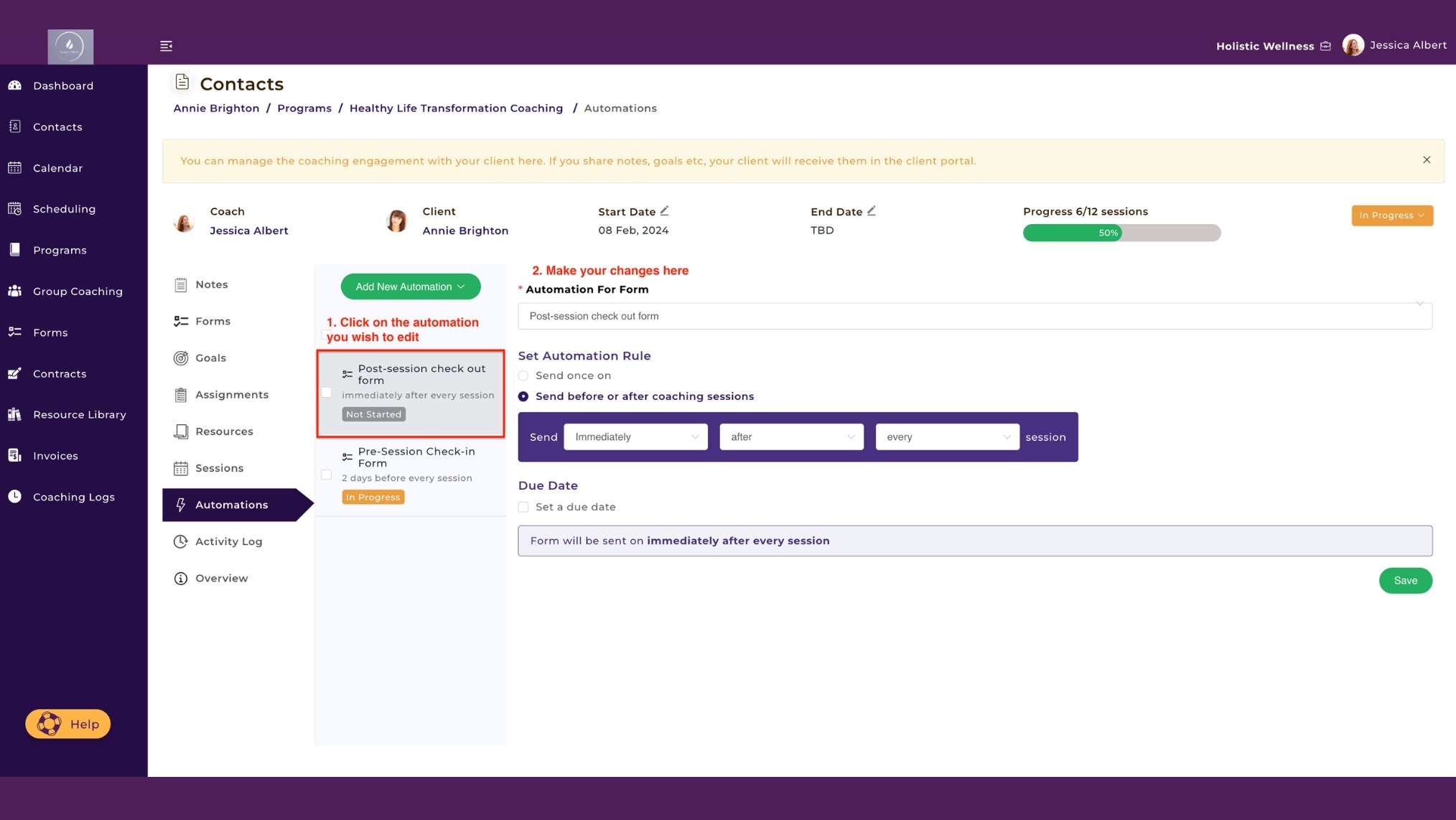
Schedule a monthly check-in to review how the system is working. Are tags being applied consistently? Are automations firing correctly? Are invoices going out on time?
Add new automation rules as you build new programs, and update contract templates when your agreements change. A CRM gets better the more intentionally you maintain it.
Your Coaching Business Needs a CRM
Managing clients across scattered tools isn't sustainable. A purpose-built coaching CRM handles scheduling, contracts, invoicing, client communication, group programs, and session tracking in one place, so the administrative side of the business stops competing with the actual work of coaching.
CoachVantage was built specifically for coaches, with every feature informed by what coaches said they needed instead of a patchwork of apps. If you're ready to build a practice that runs like a business, start your free trial today.
Frequently Asked Questions
What is the best CRM for business coaches?
CoachVantage is purpose-built for coaches and includes scheduling, contracts, invoicing, a client portal, group coaching, and coaching logs on a single platform. Unlike generic CRMs designed for sales teams, it's built around the specific workflows of a coaching business.
How do coaches use CRM for lead generation?
Coaches use a CRM for lead generation by tagging prospects at each stage of the funnel, setting reminders for follow-ups, and using booking pages to convert website visitors into scheduled calls. Keeping every lead visible and consistently tagged means nothing falls through the cracks.
How long does it take to implement a CRM for a coaching business?
For most solo coaches, a basic setup covering contacts, scheduling, and invoicing can be completed within a few days. Building out full automation and program workflows typically takes one to two weeks, depending on the complexity of your offerings.
Can I use CoachVantage as my coaching CRM?
Yes. CoachVantage is an all-in-one coaching CRM with contact management, lead tagging, scheduling, contracts, invoicing, a client portal, group coaching, workflow automation, forms, and coaching logs, all on a single platform.
Want More Coaching Clients?

Get Your Free Guide to Create An Irresistible Lead Magnet
And attract clients who want to work with you.
Get Your Free Guide Now
Glen Oliveiro
Founder of CoachVantage
With a pulse on the coaching industry, Glen personally engaged with hundreds of coaches to develop a platform that addresses their day-to-day challenges. A visionary entrepreneur, Glen is committed to revolutionizing coaching practices through the innovative solutions offered by CoachVantage.





.png)