Scheduling Software For Coaches That Keeps Your Calendar - and Clients - Organised
Spend less time coordinating appointments and more time coaching.
CoachVantage lets prospects and clients book sessions online while you have control over your availability, reminders, calendar syncing, and your coaching engagements from one platform.



Trusted By Coaches Across Different Coaching Niches







Eliminate Scheduling Back-and-Forth With Online Booking Pages
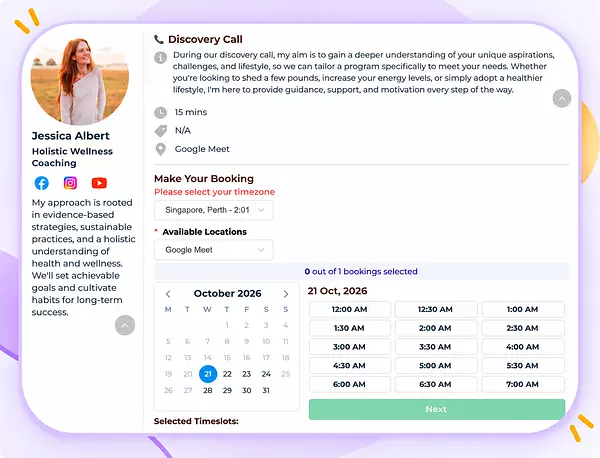
Create online booking pages for discovery calls, consultations, coaching sessions, and private meetings.
Share your booking link through email, social media or coaching directories, or embed it directly on your website. Clients simply choose from the appointment times you make available.
Reduce Missed Coaching Sessions With Automated Email & SMS Reminders
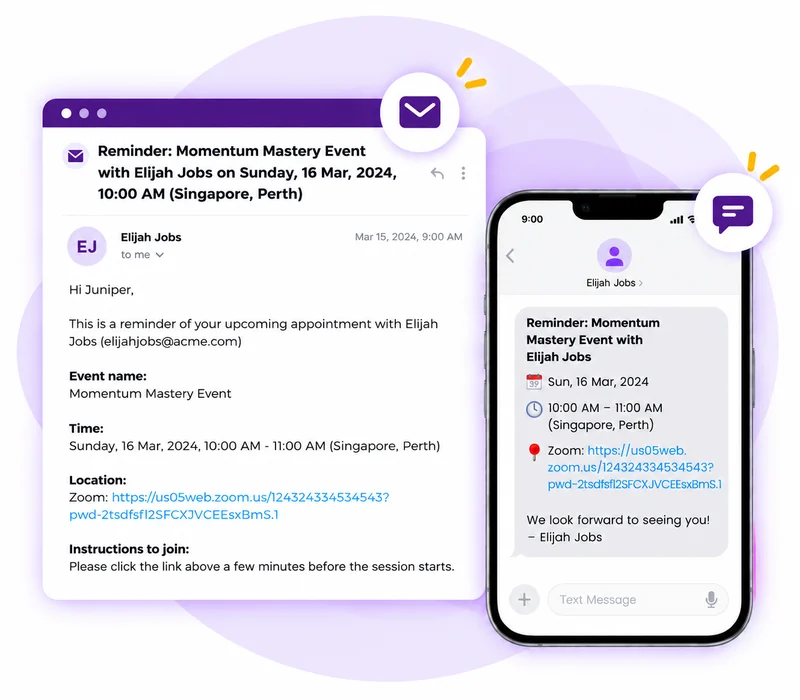
CoachVantage lets you send automated email reminders and SMS notifications for upcoming, booked, rescheduled, or cancelled appointments.
You can send automated reminders to yourself and your clients. Clients receive timely reminders without you manually following up.
Prevent Double Bookings With Custom Availability and Calendar Sync
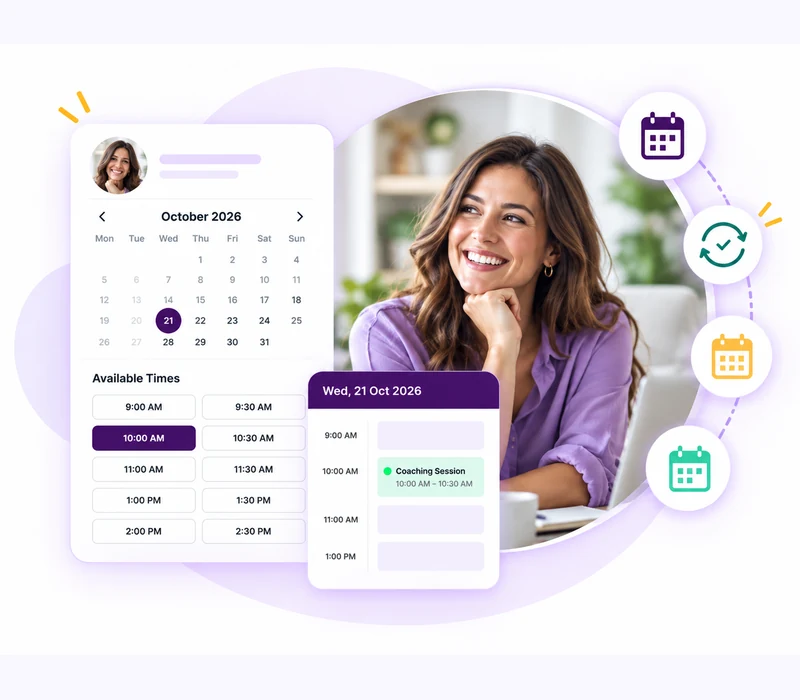
Connect your external calendar so existing commitments are automatically blocked from your booking availability.
You can also add buffer time between sessions and automatically account for clients in different time zones.
Collect Payments And Add Intake Forms
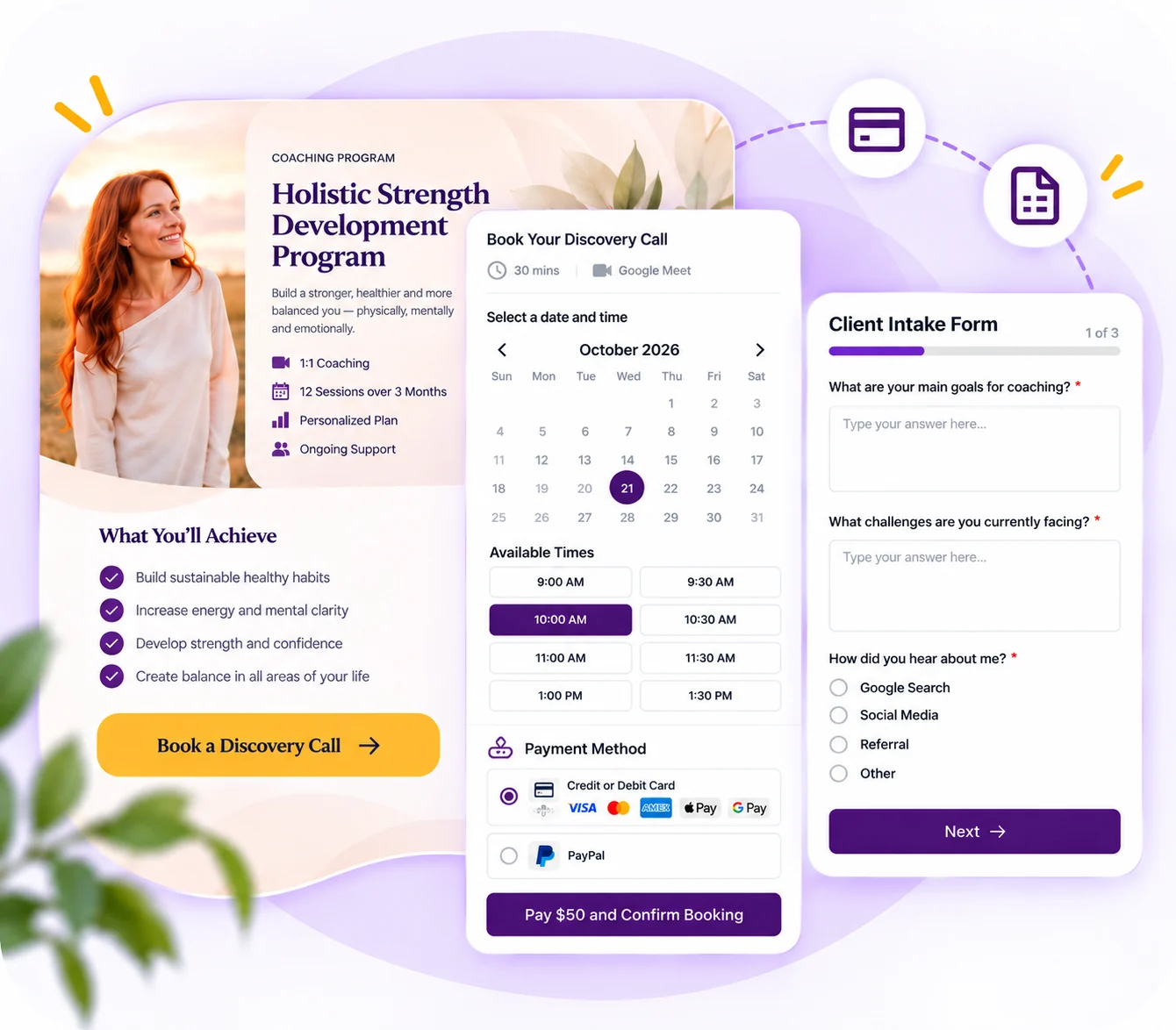
Add an intake form to your booking page so you understand what a prospect or client needs before the session begins.
For paid consultations, coaching packages, or one-off coaching sessions, CoachVantage also lets you collect payments as part of the appointment scheduling process.

The Easiest Way To Manage Your Coaching Schedule
START YOUR FREE TRIALWatch How Scheduling Works In CoachVantage
Learn how to use it as a standalone scheduling tool for discovery calls or for clients to book coaching sessions.
Client Testimonials

Javier Llerena
Leadership Transformation Coach

Dr Jennifer Cohea
Association for Leadership Practitioners

Julia Karpeisky
Executive and Life Coaching, PCC

Cheryl Davenport
Life, Transition & Empowerment Coach

Jonathan Rea
Director, Health, Wellness and Fitness
Ready to get client sign-ups?
Clarity Plan
$35/ mo
Billed Yearly
$39/ mo
Recommended for coaches-in-training or who are just starting out and ready to create a strong foundation for growth.
- Unlimited Contacts & Coaching Engagements
- 2 Group Coaching Programs
- No Cohort Management for Groups
- 2 1:1 Coaching Program Sales Pages
- 2 Booking Pages (for Scheduling)
- 4 E-Contract Signatures / Month
- 2 Online Courses
- 2 Contract Templates
- 500MB File Storage
- Plus, access to all features (see below)
Aha! Plan
$53/ mo
Billed Yearly
$59/ mo
Recommended for established and full-time coaches who are actively expanding their coaching business and offerings.
- Unlimited Contacts & Coaching Engagements
- Unlimited Group Coaching Programs
- Create Cohorts In Groups
- Unlimited 1:1 Coaching Program Sales Pages
- Unlimited Booking Pages (for Scheduling)
- Unlimited E-Contract Signatures
- 5 Online Courses
- 5 Contract Templates
- 1GB File Storage
- Plus, access to all features (see below)
Other features
.webp)
Coaching Programs
Create and sell coaching programs quickly and easily. Publish your programs online and start selling!

Group Coaching
Engage in collaborative coaching sessions to achieve personal or professional goals through shared learning and support.

Automations
Send coaching resources sometime in the future, or with dependencies on sessions scheduled.
.webp)
Scheduling
Create 1:1 or group events like a discovery call or virtual mastermind sessions.

Contract E-Signatures
E-Signatures mean contracts get signed faster, making your workflow even more streamlined!

Coaching Logs
Your coaching hours can be automatically logged, taking you one step closer to becoming ICF- certified.
.webp)
Forms
With our form builder tool, you’ll be able to get valuable feedback from clients and take your business to the next level.

Invoices
CoachVantage supports one-off invoices and recurring invoices that are sent automatically on schedule.

Contact Management
Stay organized and manage all your contacts and client information in one place.

Client Portal
Invite your clients to create a secure account portal to facilitate coach / coachee interaction and manage your engagements.

Resource Library
Resources that you frequently use, like worksheets, PDFs, videos can be used during your engagements at any time.

Integrations
Coach comfortably, sync personal calendars and collect payments online by integrating with other platforms.
.webp)
Personal Branding
Your brand is visible everywhere - on invoices, sign-up pages, client portal and on emails to clients.
Coaching Programs
Create and sell coaching programs quickly and easily. Publish your programs online and start selling!
Group Coaching
Engage in collaborative coaching sessions to achieve personal or professional goals through shared learning and support.
Automations
Send coaching resources sometime in the future, or with dependencies on sessions scheduled.
Scheduling
Create 1:1 or group events like a discovery call or virtual mastermind sessions.
Contract E-Signatures
E-Signatures mean contracts get signed faster, making your workflow even more streamlined!
Coaching Logs
Your coaching hours can be automatically logged, taking you one step closer to becoming ICF- certified.
Forms
With our form builder tool, you’ll be able to get valuable feedback from clients and take your business to the next level.
Invoices
CoachVantage supports one-off invoices and recurring invoices that are sent automatically on schedule.
Contact Management
Stay organized and manage all your contacts and client information in one place.
Client Portal
Invite your clients to create a secure account portal to facilitate coach / coachee interaction and manage your engagements.
Resource Library
Resources that you frequently use, like worksheets, PDFs, videos can be used during your engagements at any time.
Integrations
Coach comfortably, sync personal calendars and collect payments online by integrating with other platforms.
Personal Branding
Your brand is visible everywhere - on invoices, sign-up pages, client portal and on emails to clients.
Frequently Asked Questions About Scheduling Software For Coaches
Yes. You can use the scheduling feature in CoachVantage as a standalone scheduling tool. It can replace standalone booking tools such as Calendly, Acuity, Tidycal, etc. By doing so, you can reduce your tech stack and software costs while keeping all your client booking data and coaching engagements in one place.
The best scheduling software depends on how much of your coaching workflow you want it to manage. Standalone schedulers work well for simple appointment booking. CoachVantage is better suited to coaches who want scheduling connected with client records, coaching programs, payments, forms, and client portals inside the same platform.
Scheduling software makes it easier for clients to book, remember, and manage their coaching sessions. Self-scheduling removes unnecessary back-and-forth, while reminders and simpler appointment management help reduce friction throughout the coaching relationship.
Yes. Prospects and clients can choose from the appointment times you make available. You can create public booking pages for discovery calls and consultations, while existing clients can also schedule sessions from the client portal.
CoachVantage lets you automate email reminders and SMS notifications for upcoming appointments. Clients can receive notifications about bookings, cancellations, and rescheduling, helping reduce client no-shows.
CoachVantage offers two-way synchronisation with supported external calendars. Existing commitments can be blocked from your booking availability, while CoachVantage appointments can be added to your external calendar automatically.
Yes. CoachVantage supports payment collection for bookings through Stripe and PayPal, making it suitable for paid consultations and coaching sessions.
Yes. Each published scheduling event can have its own booking page and URL. You can share the link directly, embed the booking page on your website, or add a Book Now button.
Yes, particularly if you want scheduling connected to the rest of your coaching workflow. CoachVantage combines booking pages, reminders, and calendar synchronisation with contact management, coaching programs, payments, forms, and client portals.
CoachVantage's standalone Scheduling feature currently supports one attendee per booking. Group coaching is instead managed through CoachVantage's Group Program functionality.
CoachVantage saves time by letting clients self-book sessions, reduces scheduling errors and double bookings, and gives clients more control over managing their appointments through the client portal.
Yes. You can create a booking page for Discovery Calls and other one-off events, then embed it on your website or share the booking link directly. When someone books, CoachVantage automatically creates a contact record so you can easily enroll move them into a coaching program if they become a client.
Yes. You can set working hours, add buffer times, block unavailable periods, and create different Availability Types for different events or coaching programs. Once a time slot is booked, it is removed from your booking page to prevent double bookings.
Yes. CoachVantage supports two-way calendar sync with Google Calendar, iCal, Outlook, and Office 365. External appointments can block unavailable times in CoachVantage, while CoachVantage bookings are automatically added to your connected calendar.
CoachVantage Scheduling currently supports one-to-one bookings only. For group coaching, you can schedule sessions within a Group Program and automatically send invitations to all enrolled members.
Yes. You can mark appointments as missed, record the reason, and keep a visible history for both you and your client. You can also choose whether the missed session counts toward the client’s coaching package or is excluded as a free pass.
Yes. Once you've integrated to Zoom and Google Meet, CoachVantage will automatically generate the meeting links and clients receive them in the notification emails and SMS text messages.
Note: Google Meet integration works only if you connect to your Google Calendar.
Want More Coaching Clients?

Get Your Free Guide to Create An Irresistible Lead Magnet
And attract clients who want to work with you.
Get Your Free Guide NowRead Our Articles About Scheduling For Coaches
.jpg)