August 16, 2026 - Coaching Platforms
Essential Features to Look for in an Online Coaching Software
What should your coaching software actually do for you? Here are 15 essential features to look out for before signing up for a coaching platform.

Essential Features to Look for in an Online Coaching Software
Wearing every hat at once is the reality of building a coaching practice: showing up fully for clients as a life coach, handling scheduling, chasing invoices, and keeping everything organized.
Becoming a successful life coach takes more than great coaching skills. It takes a practice that runs cleanly behind the scenes, and the platform you choose determines how much of your time actually goes toward coaching.
This guide breaks down the 15 essential features to look for so you can make a decision you won't have to undo six months from now.
Why the Right Coaching Software Matters
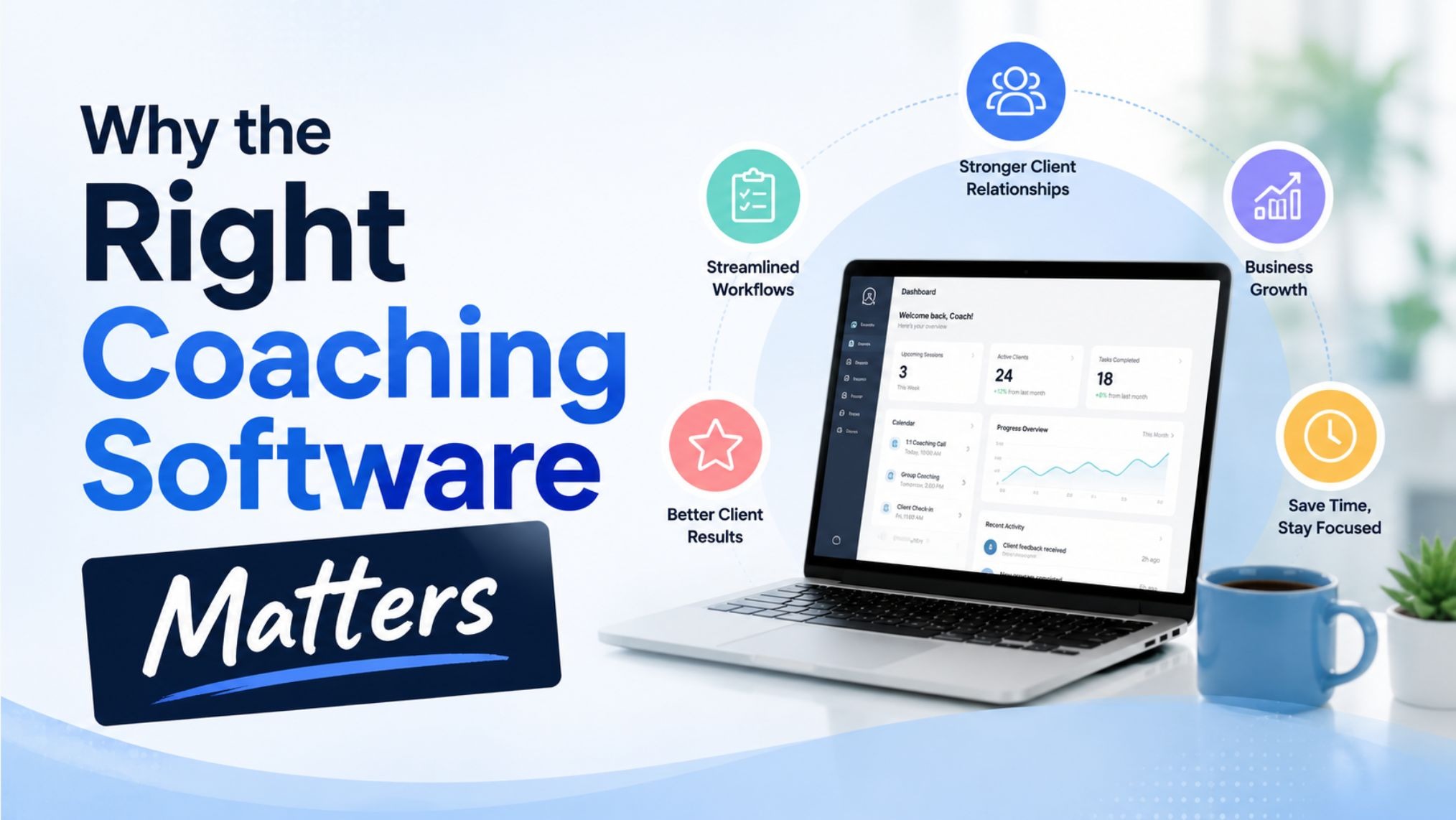
After speaking with coaches across dozens of niches, from life and executive coaching to health and business coaching, one thing comes up constantly: the tools they use either support their growth or actively get in the way.
Managing clients through a patchwork of apps, spreadsheets, and email threads wastes time and creates a fragmented client experience that undermines the very professionalism coaches work so hard to build.
The right coaching platform brings everything under one roof.
When your scheduling, contracts, payments, and client communication all live in the same system, you spend less time on admin and more time doing what you actually got into coaching to do.
The Essential Features to Look for in an Online Coaching Software
1. Coaching Programs
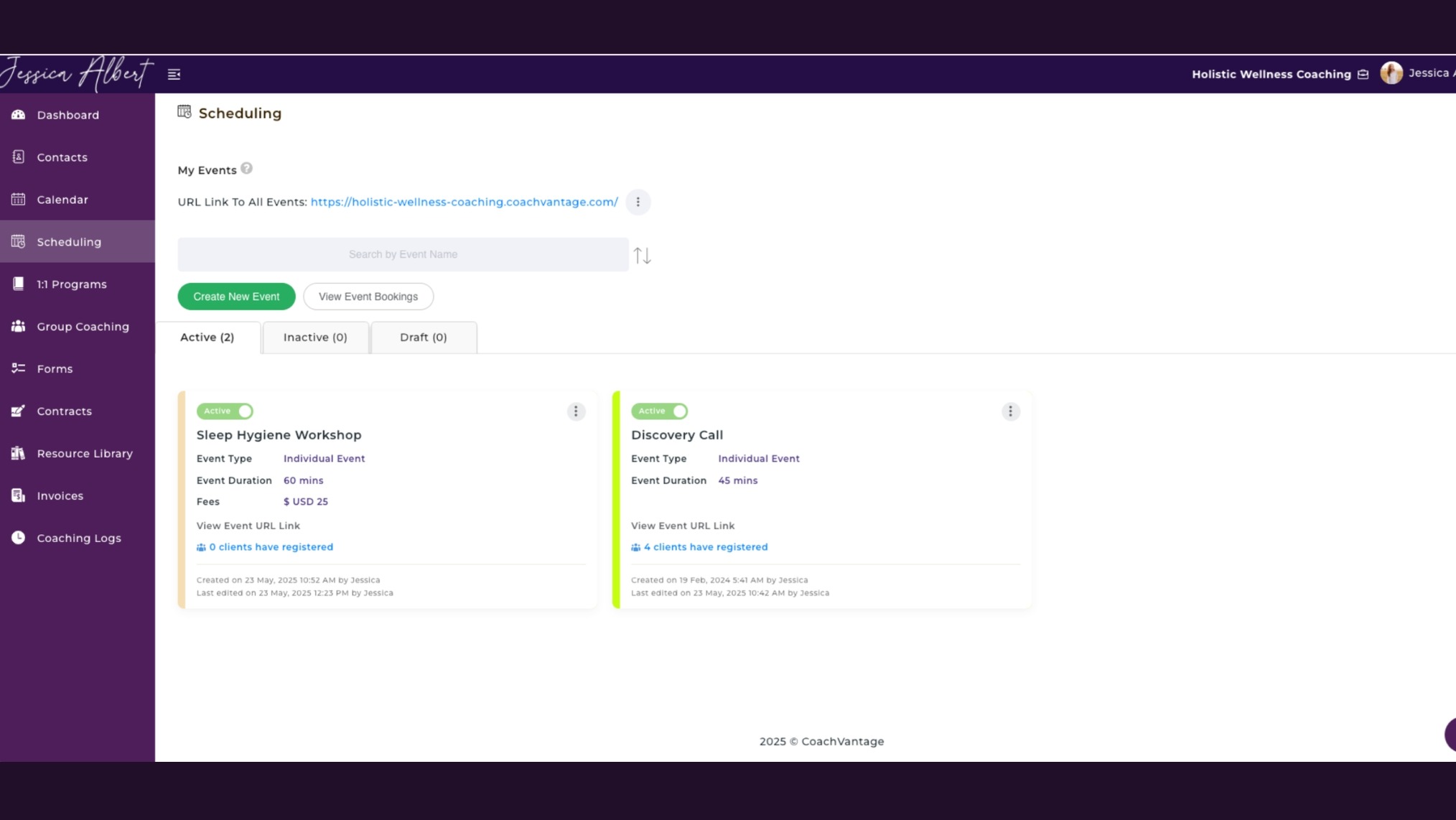
A coaching program feature gives your services structure, instead of selling coaching as a vague ongoing arrangement.
You can package your services into a defined offering with a branded sign-up page where clients enroll, pay, and complete intake forms all in one flow.
When someone enrolls, a client record should be created automatically so you're not doing manual data entry on the back end.
Why this feature is necessary: Without a formal program structure, coaching can feel loose and undefined for clients. A well-built program framework gives the engagement clear boundaries, automates enrollment, and communicates value from the start.
2. Smart Scheduling
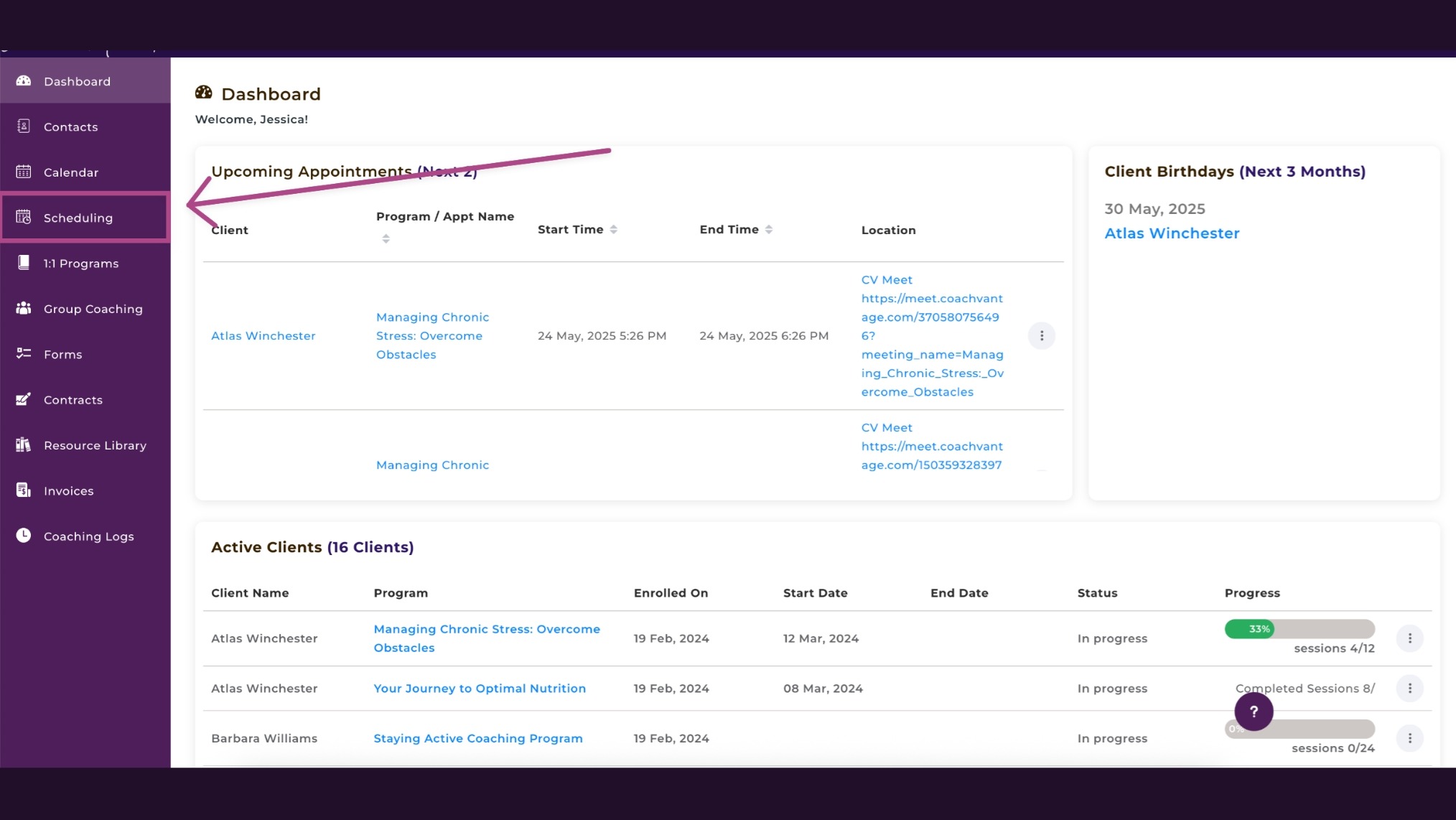
A proper scheduling feature handles client self-booking, syncs with your external calendar, sends automated reminders, and converts session times to each client's local time zone automatically.
It should also support recurring appointment setup without requiring you to configure each one individually.
Why this feature is necessary: Manual scheduling creates friction for both coach and client. Removing that friction with a clean, automated booking system means more sessions happen and fewer get lost in back-and-forth emails.
3. Contract E-Signatures
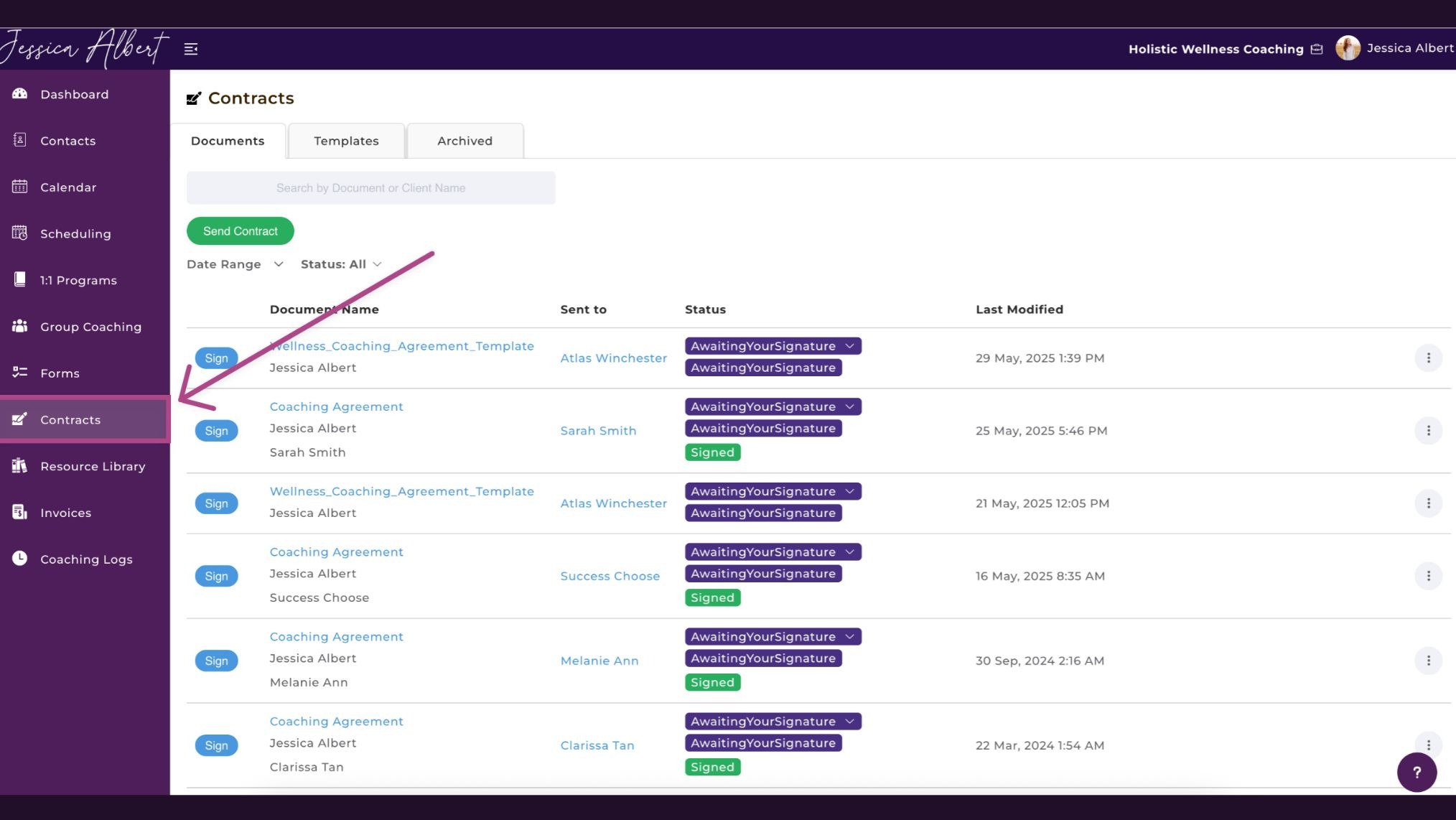
Getting a contract signed shouldn't require a separate tool and three follow-up emails.
A built-in e-signature feature lets you upload your coaching agreement, place signature fields, and send it for signing in a few clicks.
Embedding the contract into your program sign-up page so clients sign during enrollment is even better. For instance, CoachVantage does both and generates a full audit trail showing when the document was sent, viewed, and signed.
Why this feature is necessary: Contracts protect your business and set clear expectations. Having e-signature built into your platform means no separate tool like HelloSign and no reason to skip this step.
4. Client Portal
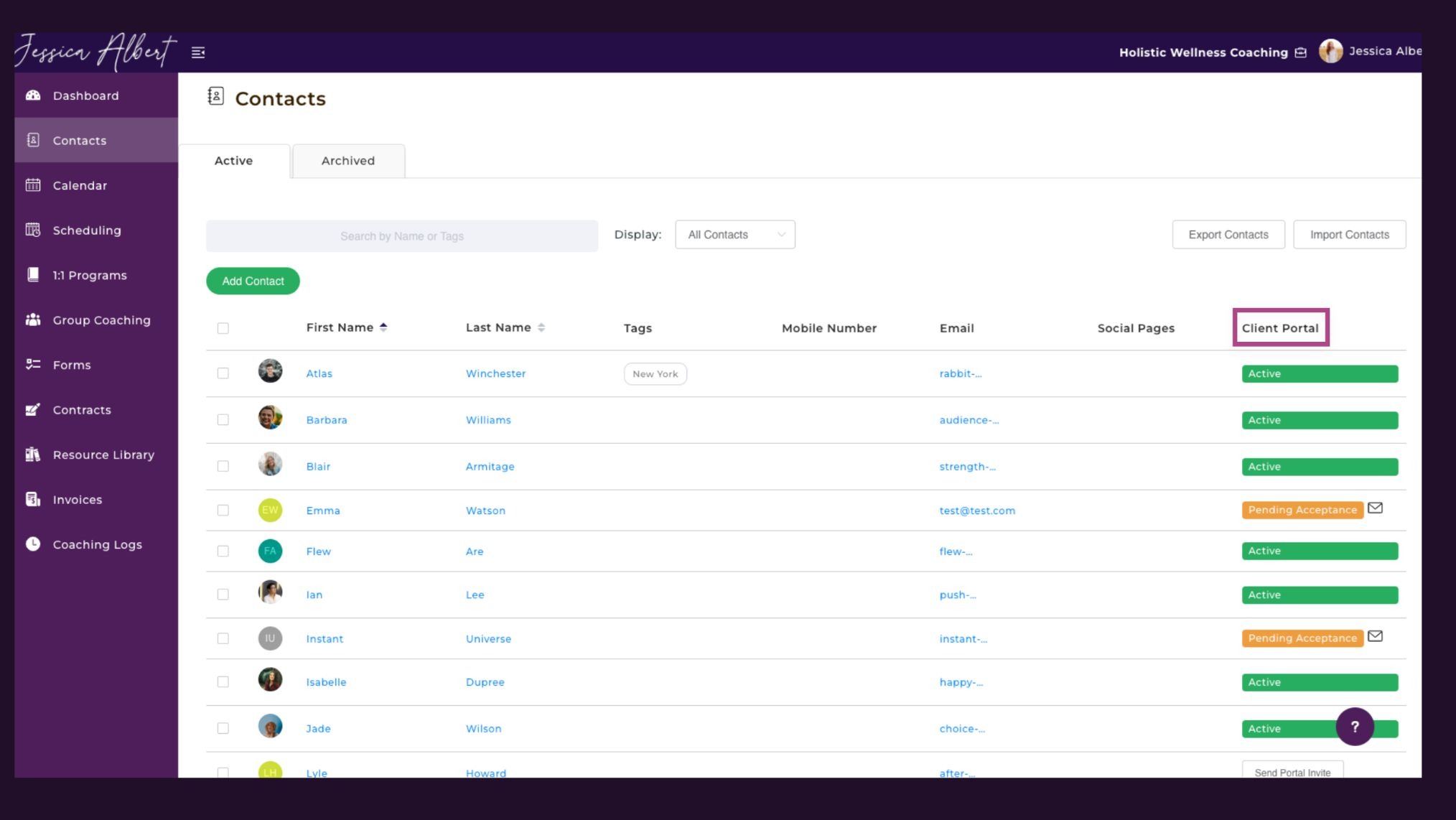
A dedicated client portal puts everything in one branded space: session notes, assignments, goals, shared resources, invoices, and forms.
Clients should be able to book sessions and pay invoices directly from the portal without needing to go elsewhere.
Why this feature is necessary: A centralized portal reduces the "where do I find that?" messages and gives clients a sense of ownership over their coaching journey, which improves engagement and accountability.
5. Coaching Logs
Many coaches working toward certification underestimate how quickly hours slip by untracked.
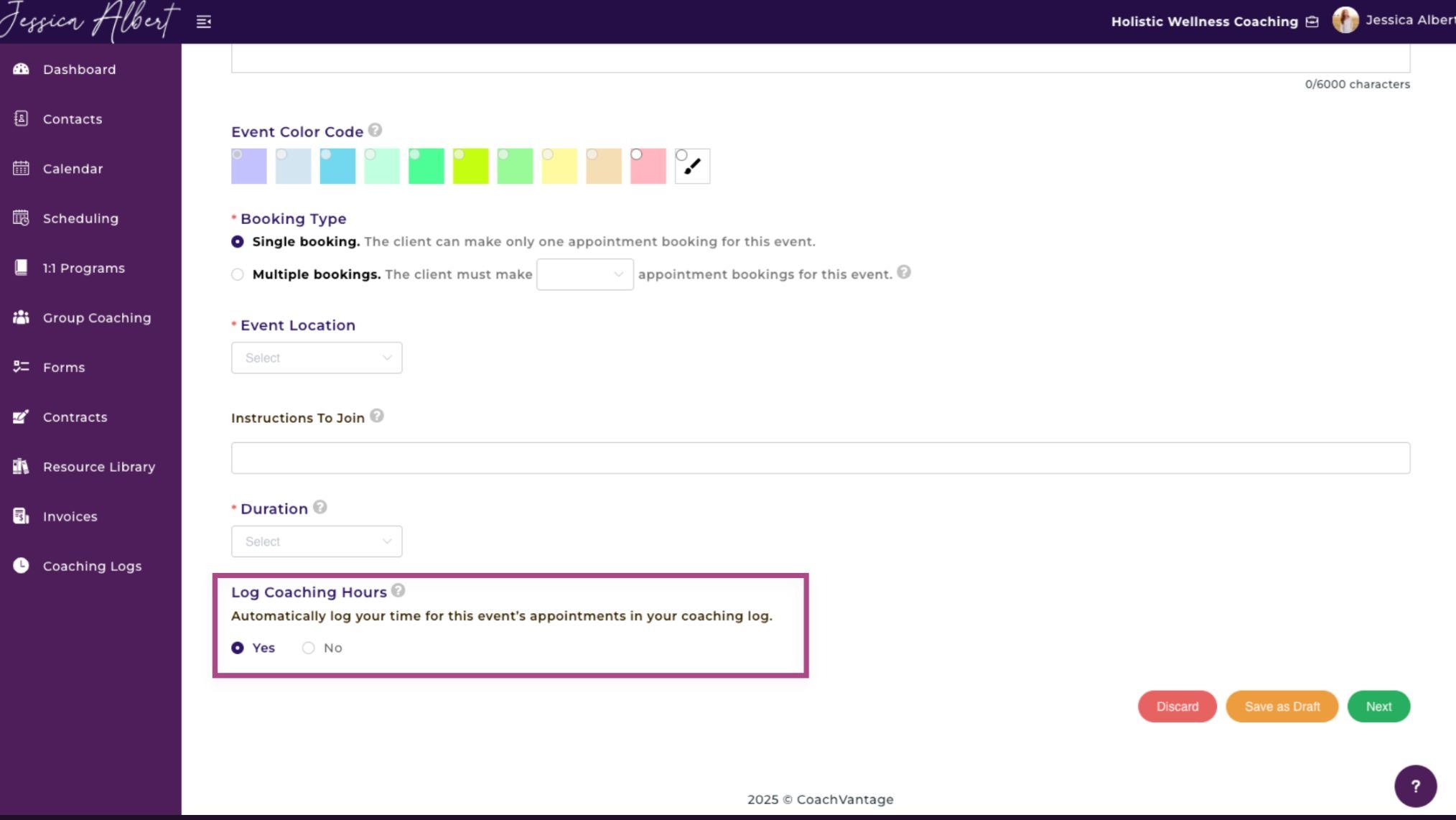
A coaching log feature captures your paid and pro bono session time automatically. That way, you're not scrambling to reconstruct records when a certification deadline approaches.
Platforms like CoachVantage logs hours automatically and lets you export the data as a CSV file for certification submission.
Why this feature is necessary: Tracking coaching hours manually is tedious and easy to let slide. Automatic logging means you're always certification-ready and have an accurate record of your coaching activity.
6. Invoicing and Payment Processing
Chasing payments is one of the most draining parts of running a coaching practice, and it's entirely avoidable.
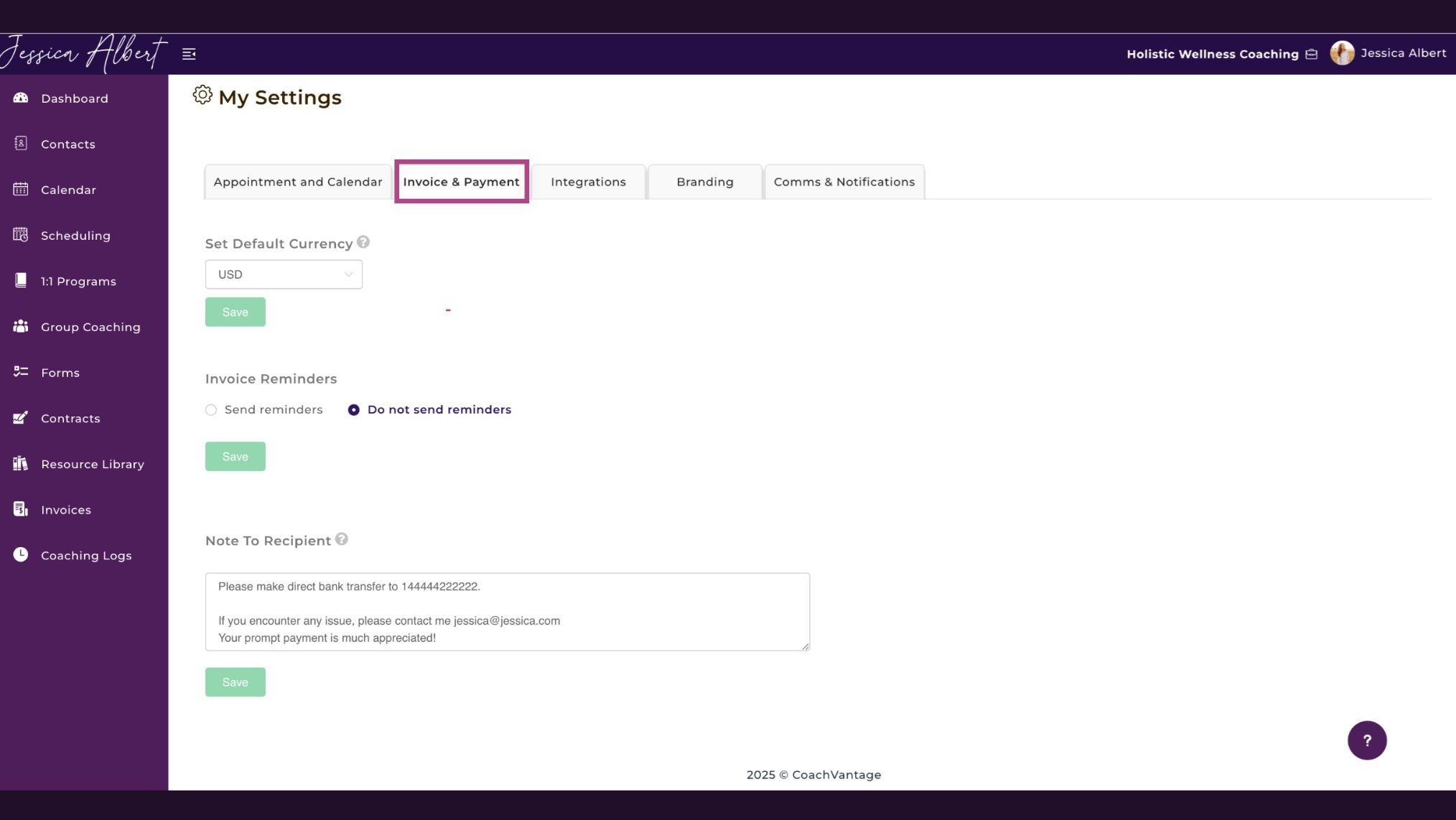
A solid invoicing feature sends one-off and recurring invoices automatically, triggers payment reminders before due dates, and lets clients pay in one click.
Look for a platform that also supports multiple invoice recipients, useful when a corporate client's HR department handles billing.
Why this feature is necessary: Getting paid consistently and on time is foundational to a sustainable practice. Automated invoicing removes manual follow-up and keeps your cash flow predictable.
7. Group Coaching
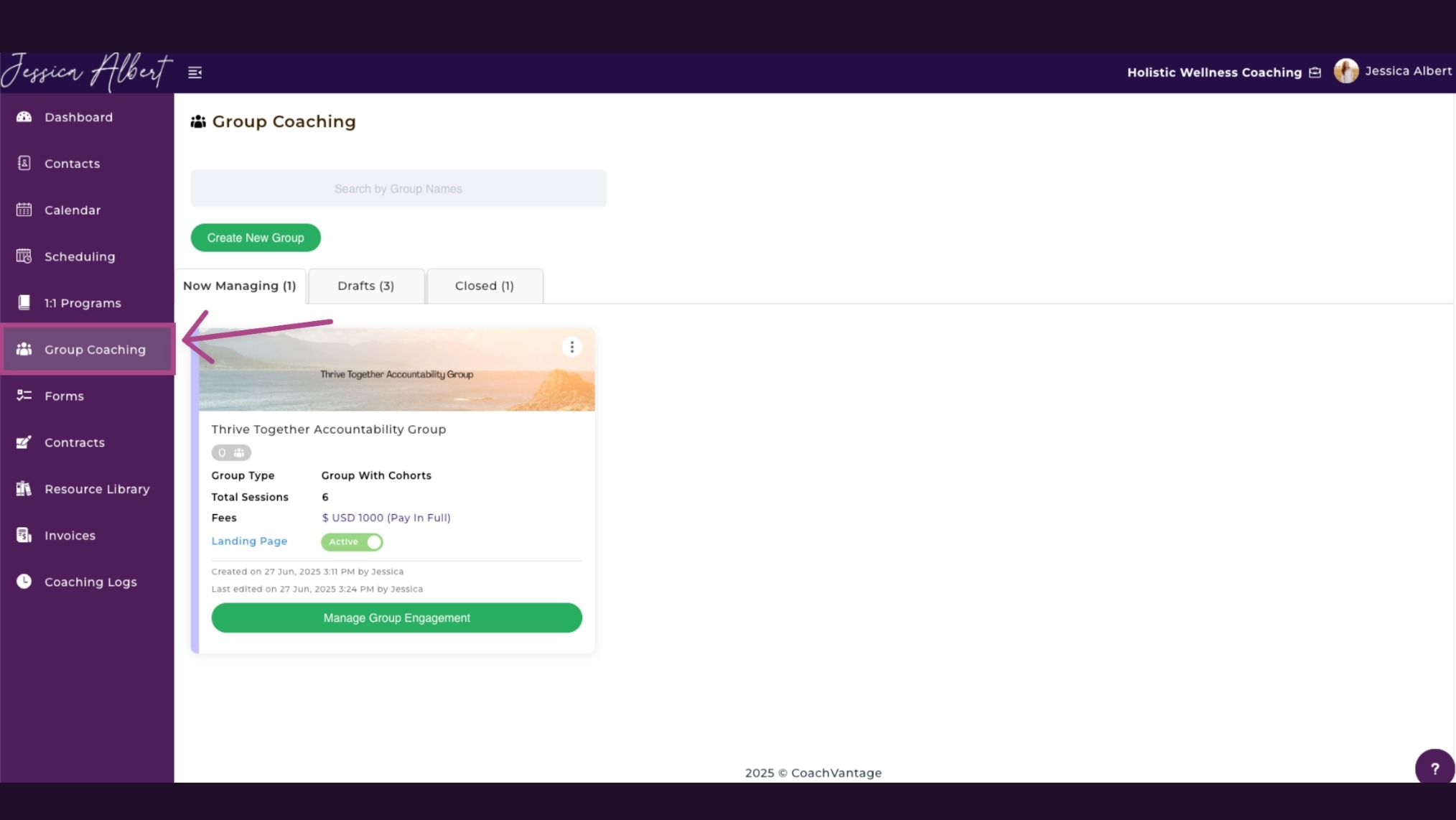
Delivering a group program without the right tools means repetitive manual work: sending the same materials to each member individually and tracking who has completed what.
A proper group coaching feature distributes assignments, goals, forms, and session information to all members at once.
CoachVantage supports cohorts that let you divide a larger group into sub-groups, which is useful for evergreen programs where new members join at different times.
Why this feature is necessary: Group coaching is one of the most efficient ways to scale revenue without proportionally scaling your time. A platform that handles group logistics well makes the difference between smooth delivery and chaos.
8. Online Course Creation
Not every coaching interaction has to happen live. The ability to build structured online courses lets you package your knowledge into something clients work through at their own pace.
Whether it’s as a standalone product, a lower-priced entry point, or pre-work before a live program.
Ideally, this should live within your coaching platform rather than requiring a separate course tool.
Why this feature is necessary: Courses let your expertise generate value around the clock and serve as an effective entry point for new clients who want to experience your work before committing to a full program.
Manage Your Coaching Practice in One Place
CoachVantage automates your business workflows so you can focus on impactful coaching results.
9. Forms and Intake Management
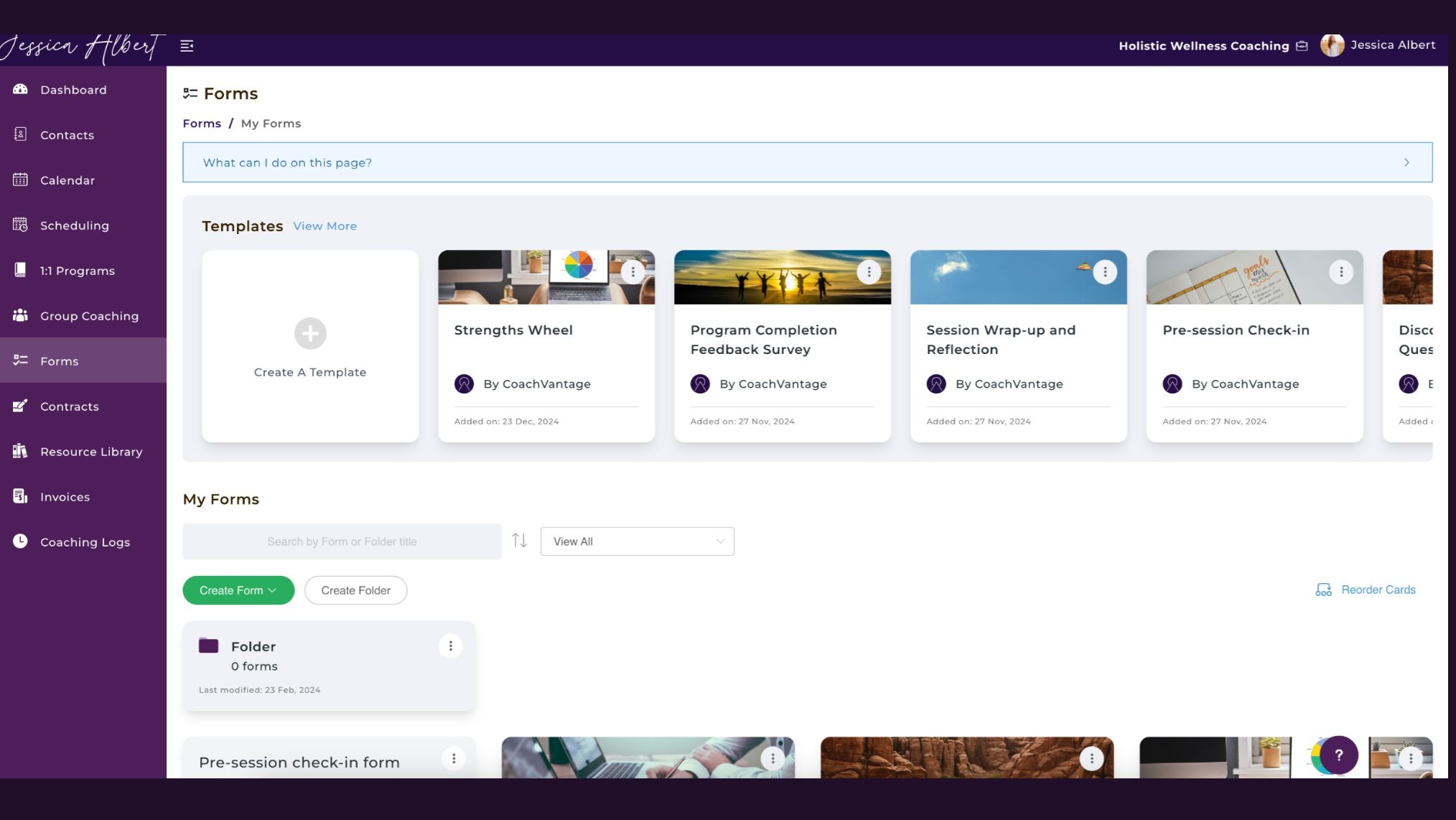
Gathering the right information before a first session or mid-program check-in changes the quality of your coaching conversations.
A good form builder supports multiple question types, lets you view responses individually or as aggregated data, and allows you to embed forms into booking or sign-up pages so collection happens automatically.
Why this feature is necessary: Walking into a first session without background information puts you at a disadvantage. Good intake forms help you show up prepared and signal to clients that you take the process seriously.
10. Contact Management
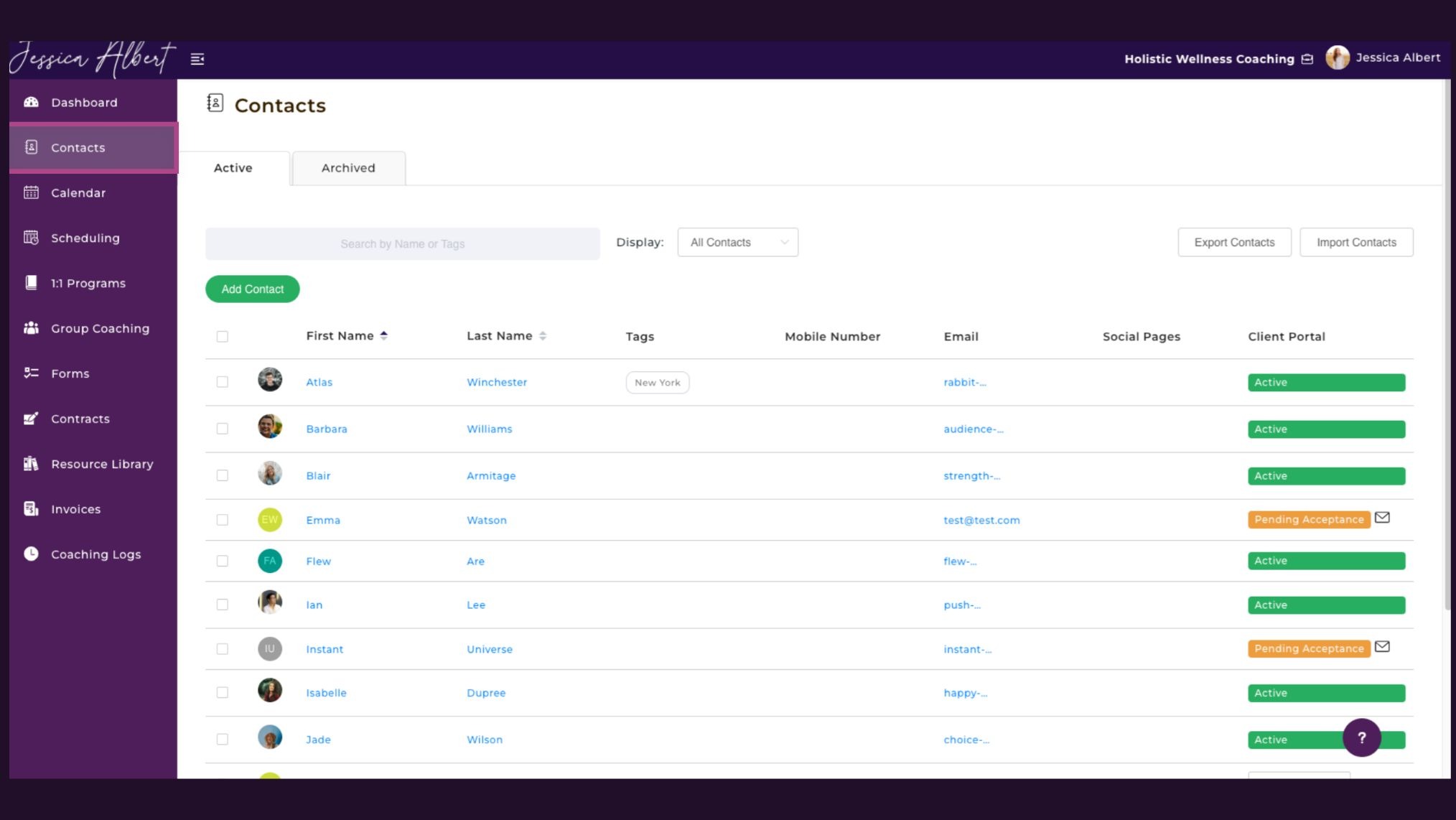
A contact management feature stores each person's profile, coaching history, session notes, invoices, and contracts in one accessible record.
The platform shouldn't limit how many contacts you can add, and tagging or archiving options help keep your list manageable as the business scales.
Why this feature is necessary: Scattered client records lead to dropped balls. A centralized contact management system keeps you informed and in control regardless of how many people you're working with.
11. Automation
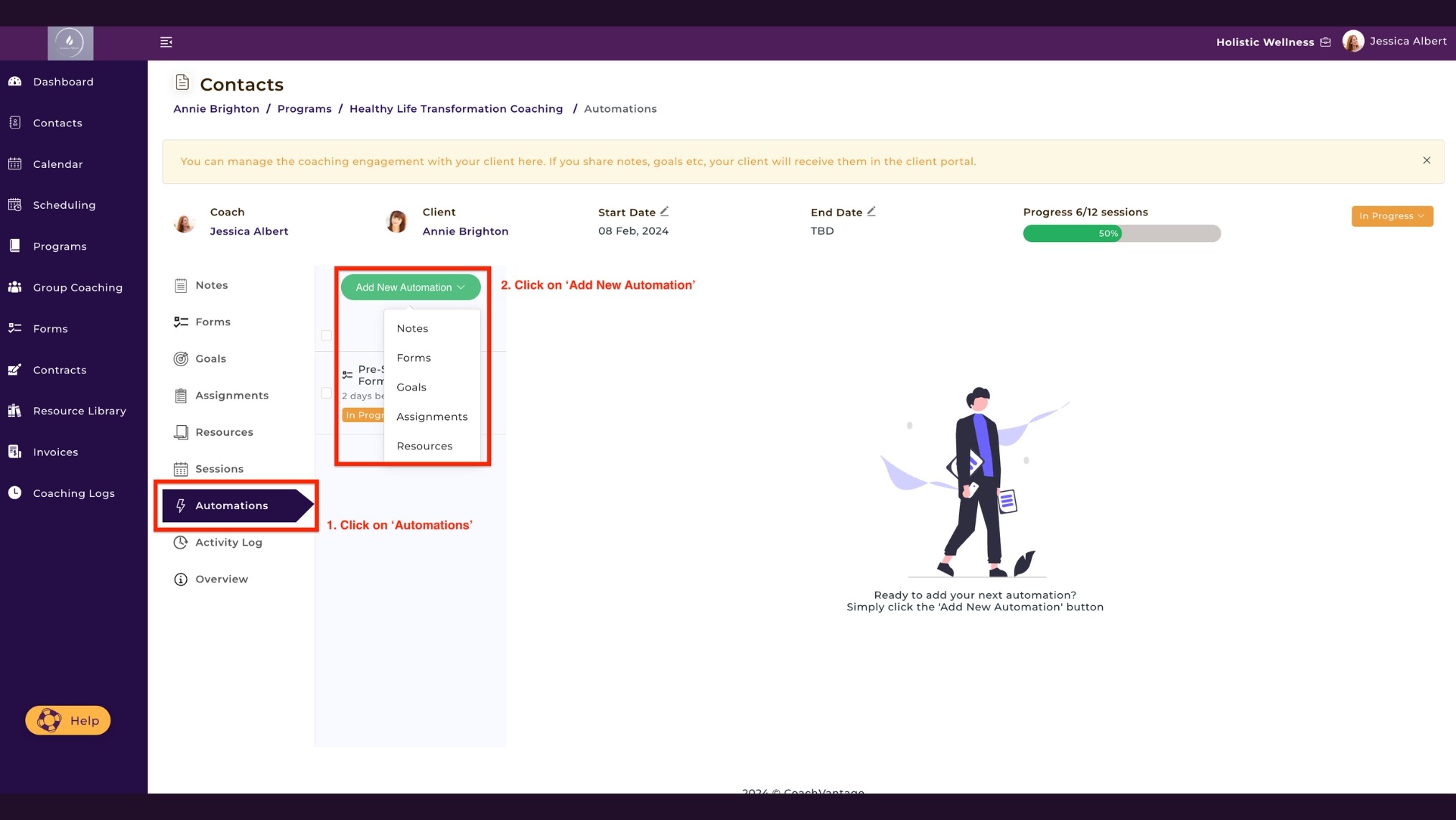
Manually sending the right resource to the right client at the right stage of their program is manageable with two clients and unworkable with twelve.
Automation rules let you schedule the delivery of goals, assignments, forms, and files based on preset triggers, such as a specific date or relative to a session. You set the rules once and the platform handles delivery from there.
Why this feature is necessary: Automation keeps your client experience consistent even during your busiest weeks and eliminates the cognitive load of remembering to send the right thing to the right person at the right time.
12. Resource Library
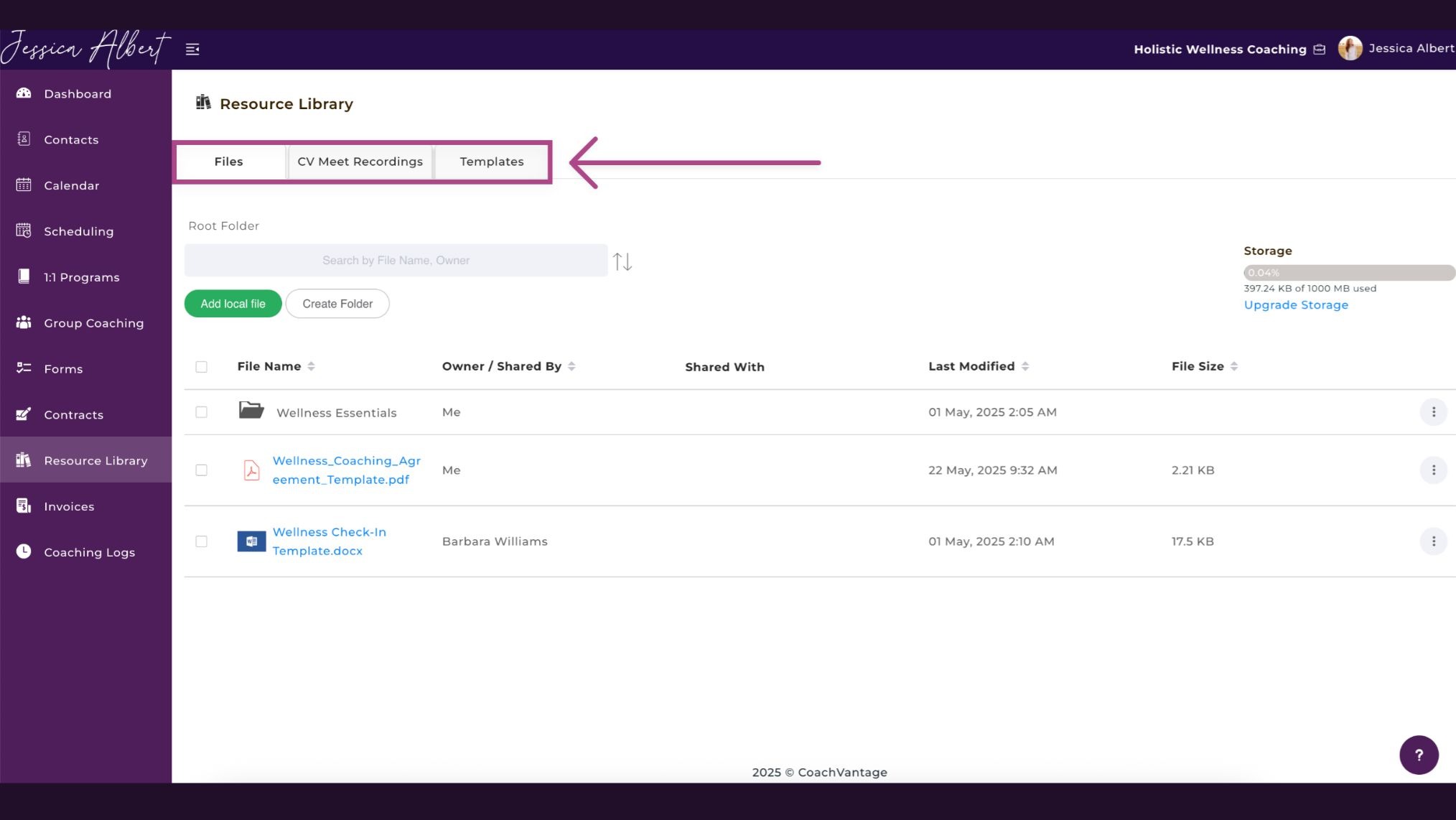
A resource library gives you a single place to store the materials you use most: worksheets, PDFs, video links, and audio files.
Rather than hunting for assets before each session, you pull from a centralized library and share directly with clients as needed.
The ability to create reusable note templates for session documentation is a practical bonus worth looking for.
Why this feature is necessary: Digging through old emails to find a worksheet you sent months ago is not a good use of your time. A well-organized resource library makes your materials instantly accessible for both you and your clients.
13. Personal Branding
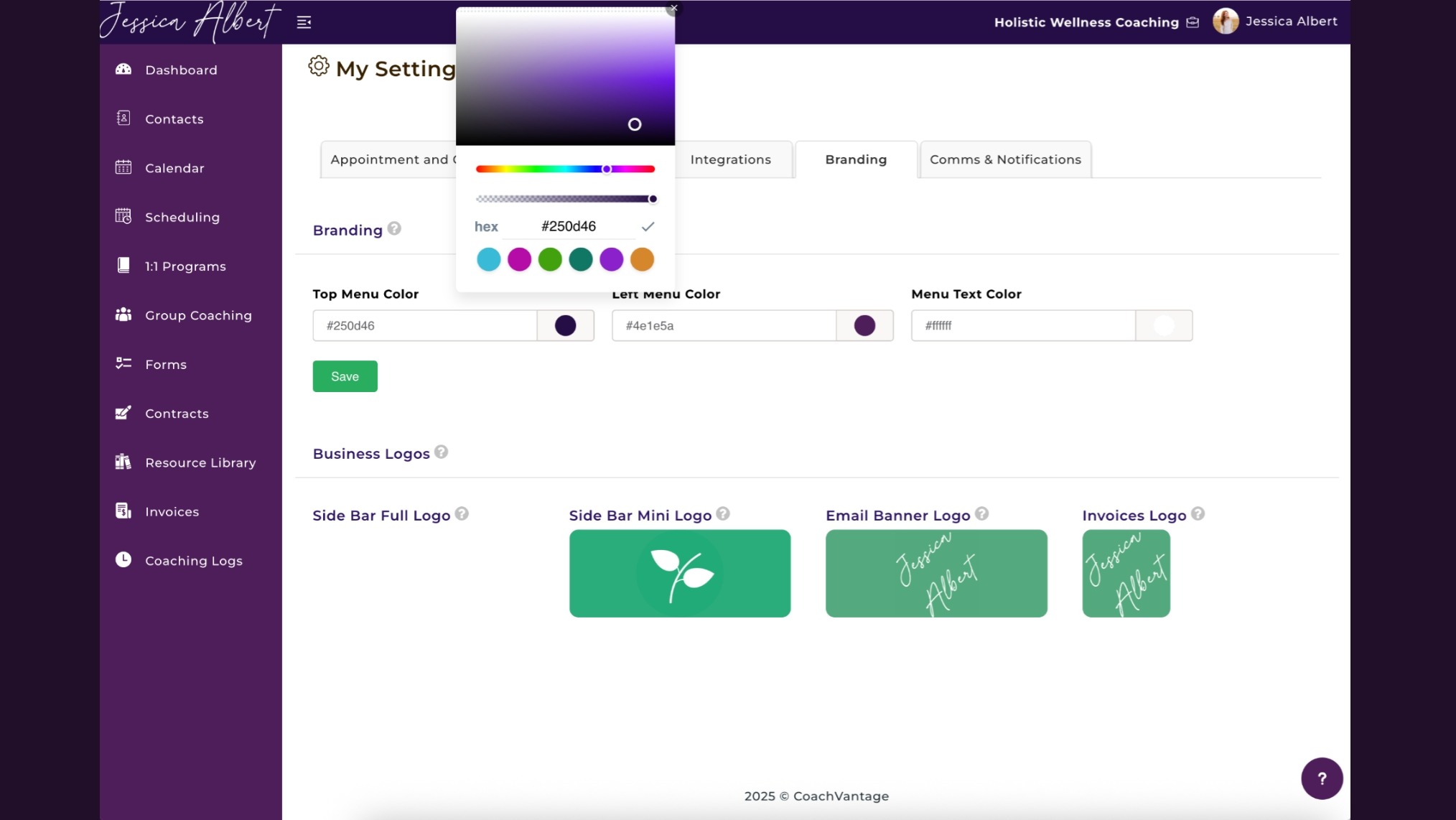
When clients interact with your coaching business, every touchpoint should reflect your brand rather than the platform running in the background.
That means your sign-up pages, client portal, invoices, and emails all carry your business name, logo, and colors.
A platform that keeps its own branding front and center on your client-facing pages undermines the professional image you're working to build.
Why this feature is necessary: Clients notice consistency. A branded experience builds trust and reinforces your professionalism at every touchpoint, from the first sign-up page to the final invoice.
14. Integrations
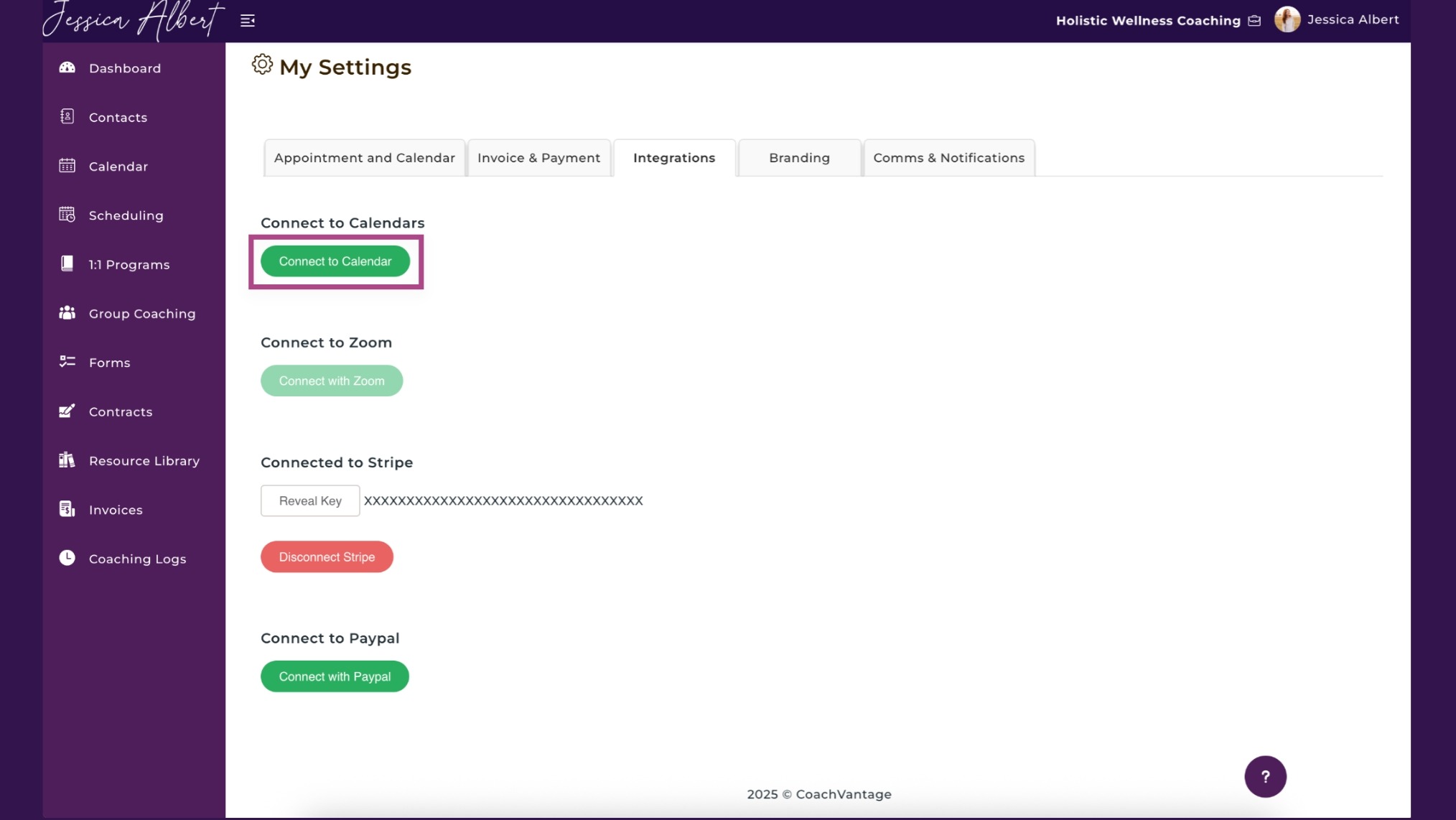
A coaching platform that requires you to leave it constantly defeats the purpose of having a central system.
The integrations that matter most are the ones built into your core workflows: payment processing, video conferencing, and calendar syncing.
These should work seamlessly within the platform rather than feeling bolted on as an afterthought.
Why this feature is necessary: Good integrations mean your tech stack works as a unified system rather than a collection of disconnected parts, saving you from constant app-switching during your workday.
15. Mobile Accessibility
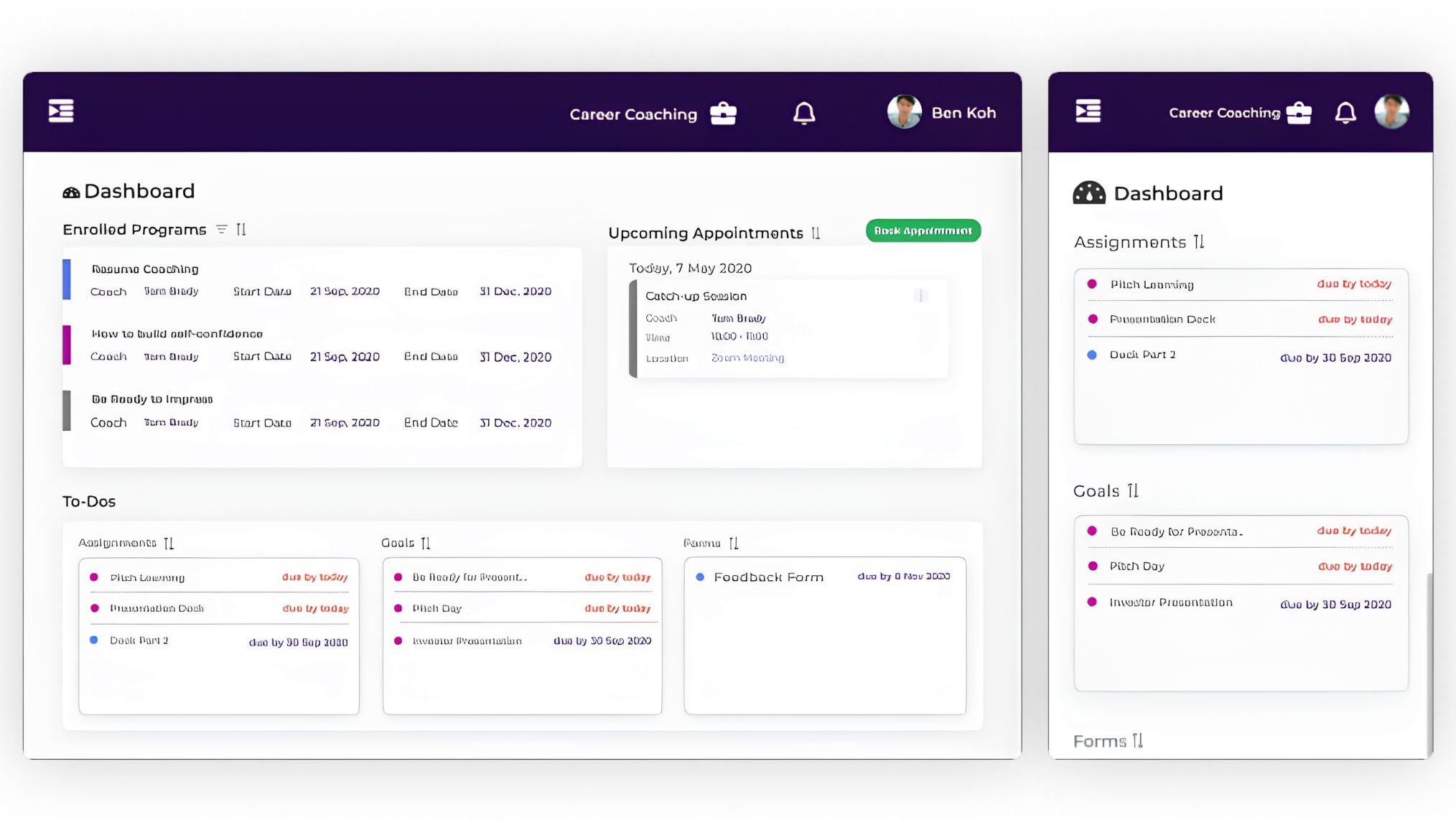
Coaching doesn't stop when you step away from your desk, and a platform that only works well on a laptop will eventually let you down.
Mobile accessibility means your client records, session notes, calendar, and communications are fully functional on a phone or tablet, with an interface that doesn't feel like a shrunken desktop version.
Why this feature is necessary: Both coaches and clients increasingly manage their work from mobile. A platform that functions well on a phone means nothing falls through the cracks between sessions.
What to Avoid When Choosing a Coaching Platform
Coaches often discover a platform's limitations only after they've already onboarded clients onto it, which makes switching painful. Here are the red flags to watch for:
-
Platforms that lock core features like contracts, invoicing, or group coaching behind steep pricing tiers
-
Tools with no mobile functionality or a poor mobile experience
-
Software with no native payment integration, forcing you to manage billing separately
-
Platforms that cap the number of clients, programs, or contacts without a proportional value trade-off
-
Any tool that can't brand the client-facing experience as your own
-
Solutions built for a different industry that don't understand how coaching actually works
One Coaching Platform Is All You Need
Scaling with the least friction comes down to one decision: consolidating your entire practice into a single platform instead of splitting it across five different tools.
When your programs, scheduling, contracts, payments, and client communication all run from one system, you stop managing software and start focusing on the work that actually moves your business forward.
That's where the all-in-one coaching software comes in. Sign up for a free trial today.
Frequently Asked Questions
What features are essential in coaching software for solo coaches?
For solo coaches, the non-negotiables are scheduling, a client portal, contract e-signatures, and invoicing. These handle the bulk of your admin and set a professional tone from the very first client interaction.
Can one platform handle both coaching delivery and business admin?
Yes, platforms like CoachVantage are built specifically to do both. Coaching delivery and business operations live in one place, so you're not juggling multiple separate tools.
What should I look for in a coaching platform if I run group programs?
Look for dedicated group coaching functionality that handles group-level scheduling, content distribution, and individual progress tracking. Cohort management is a bonus if you run programs with rolling enrollment.
Is it worth paying for coaching software or can I use free tools?
Free tools work at the very start but come with real costs in time and fragmentation. Paid coaching software pays for itself quickly when it reduces admin hours, improves client retention, and presents a more professional experience.
Want More Coaching Clients?

Get Your Free Guide to Create An Irresistible Lead Magnet
And attract clients who want to work with you.
Get Your Free Guide Now
Glen Oliveiro
Founder of CoachVantage
With a pulse on the coaching industry, Glen has personally engaged with hundreds of coaches to develop a platform that addresses their day-to-day challenges. A visionary entrepreneur, Glen is committed to revolutionizing coaching practices through the innovative solutions offered by CoachVantage.
https://www.coachvantage.com